> ## Documentation Index
> Fetch the complete documentation index at: https://docs.juicebox.ai/llms.txt
> Use this file to discover all available pages before exploring further.
# All About Credits
> Details on Contact and Export Credits.
### Introduction
As a Juicebox user, you have access to two different sets of credits:
1. **Contact Credits** are used to get a profiles’ contact information. On the starter, growth, and business plans, you can access personal and professional email addresses, as well as phone numbers.
2. **Export Credits** are used to export profiles. On the starter and growth plan, you can export profiles via a CSV or PDF file. On the business plan, you can export profiles via a CSV, PDF or directly to your ATS/CRM.
### Credits: Overview
| | **Starter Plan** | **Growth Plan** | **Business Plan** |
| ------------------ | ---------------- | ---------------- | ----------------- |
| Contact Credits | 250/month | 1,000/seat/month | Custom |
| Personal Email | ☑️ | ☑️ | ☑️ |
| Professional Email | ☑️ | ☑️ | ☑️ |
| Phone Numbers | ☑️ | ☑️ | ☑️ |
| Export Credits | 500/seat/month | 1,500/seat/month | 1,500/seat/month |
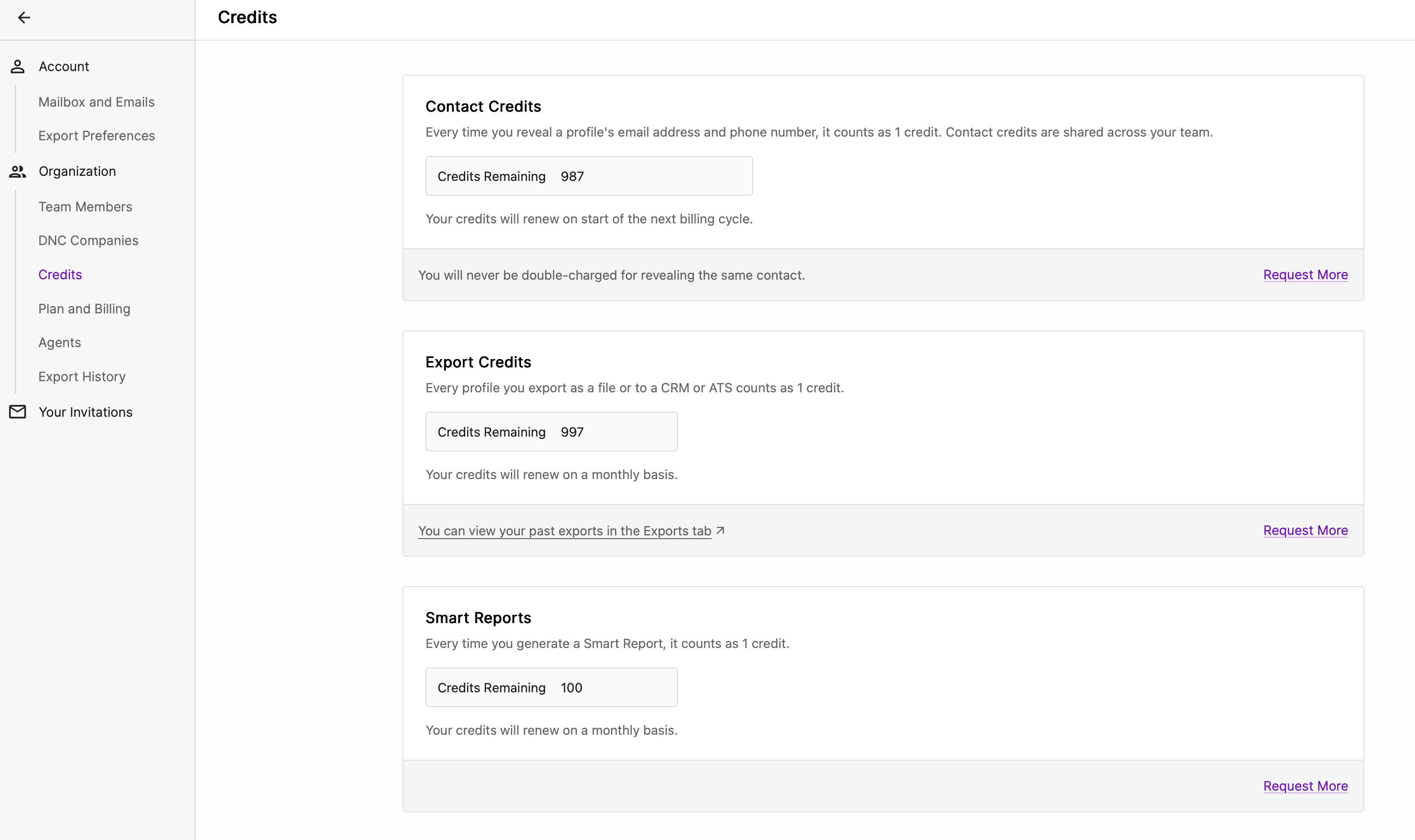
For details on the number of contact and export credits available in your plan, please navigate to [Settings > Credits](https://app.juicebox.ai/account?tab=credits) via your Juicebox account. Please note, credits **do not roll over** on the monthly plan. For annual plans, the full year quantity of credits are granted upfront.
In Juicebox, one contact credit gives you access to a profile’s entire contact information, so you only have to use one credit to access a candidate’s personal email, professional email, and phone number.
### Using Contact Credits
Contact credits can be used in one of three ways:
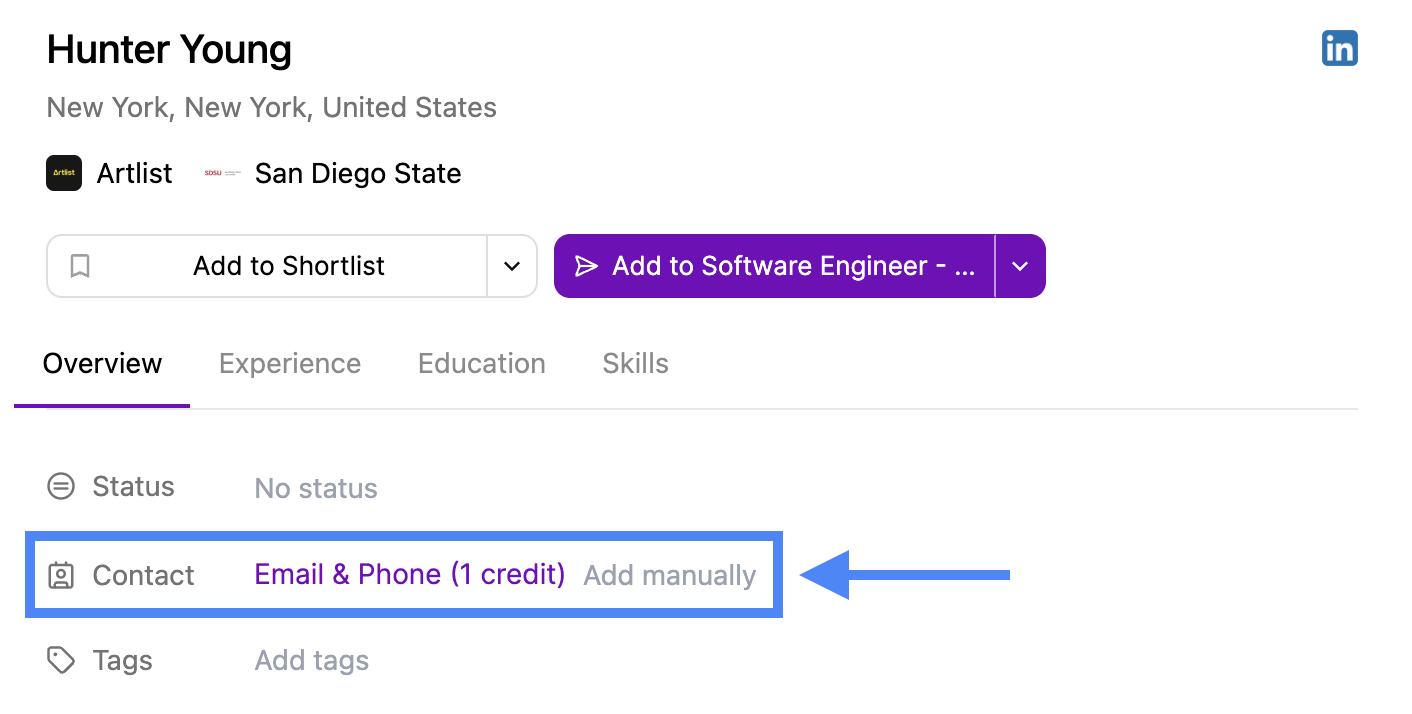
1. Clicking “Email & Phone (1 credit)” in a user profile OR
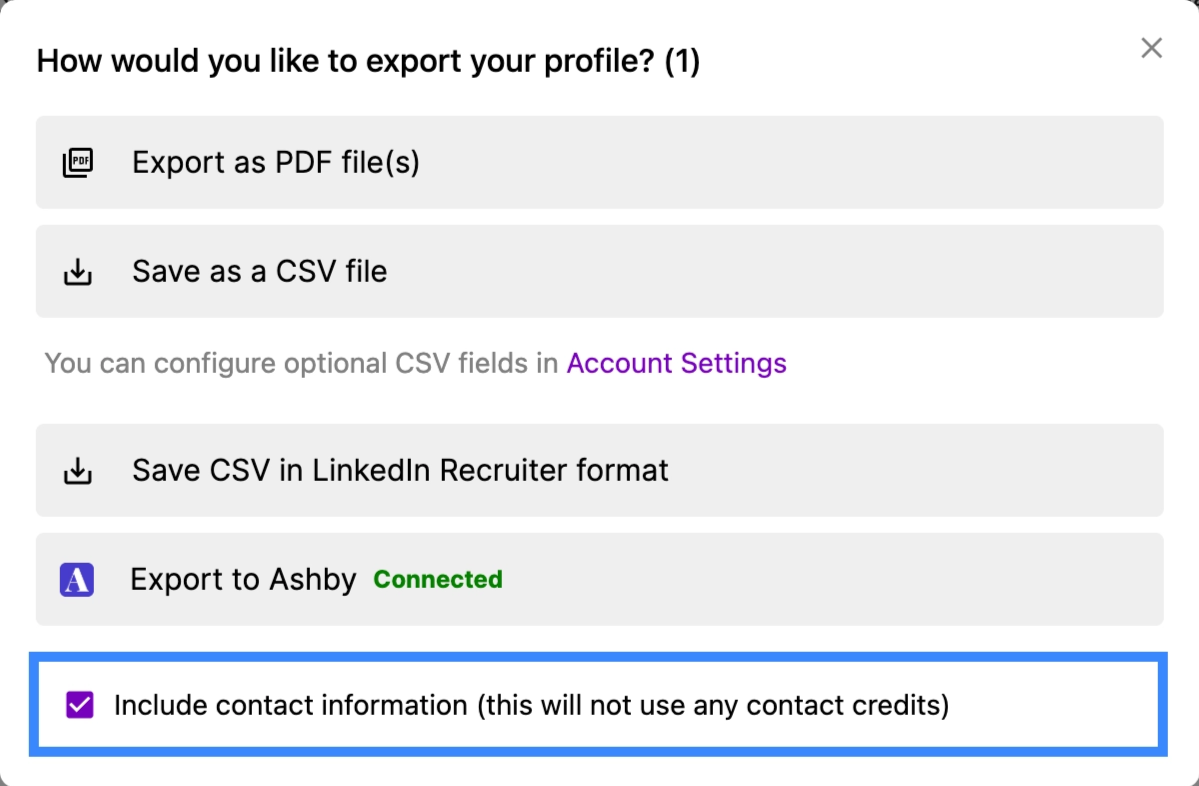
2. Exporting a profile with contact information OR
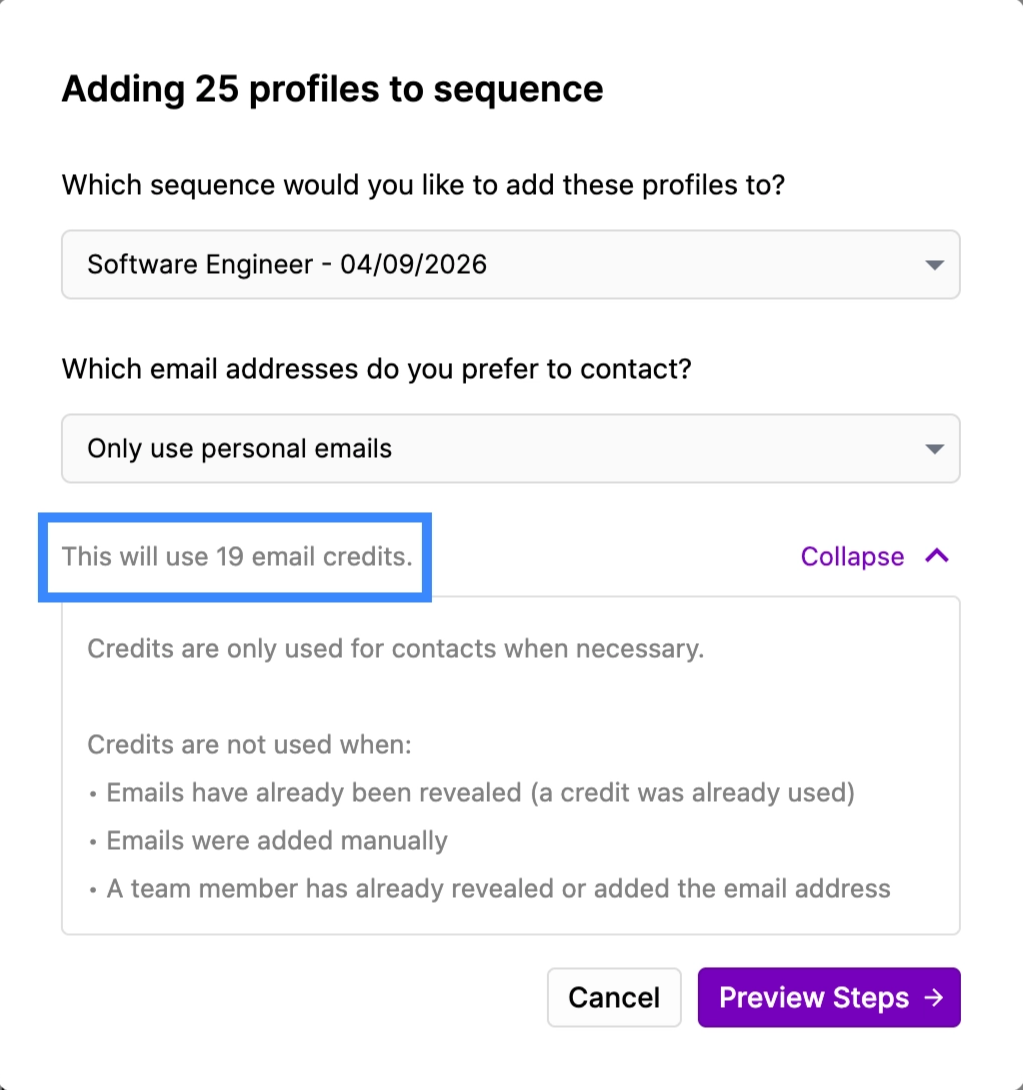
3. Adding a profile to a sequence
To learn more about each of these three ways, please continue reading.
1. **Email & Phone (1 credit)**
This method will provide you with a candidate’s entire contact information.
1. **Export with Contact Info**
When exporting profiles, you can choose whether to export with contact information or without contact information. If you choose to export with contact information, Contact Credits are only used when contact information is successfully found or unrevealed.
1. **Adding profiles to a sequence**
When adding contacts to an email sequence in the profile view or via bulk selection, clicking "Add to sequence" reveals the contact information of these profiles, and you will be charged one Contact Credit for every *new* contact information revealed.
You will never be double-charged for contact credits. For example, if you use a credit to get contact information via the “Email & Phone (1 credit)” button, and then export the same profile with contact information, you will only use one (1) credit in total.
### Using Export Credits
Export credits allow you to access and download detailed candidate profile information in a scalable format. For a full overview of available export options, please refer to our Exports article [here](/exports).
Similar to Contact Credits, each exported profile will only use one (1) export credit. For example, exporting 50 profiles will consume 50 export credits.
If you do choose to include contact information in your export, one contact credit per profile will also be used unless that information has already been revealed. Please see below for example scenarios detailing how many contact and export credits are used across each.
### Using Contact & Export Credits Simultaneously
When exporting profiles and selecting “Include contact information,” you will utilize both contact and export credits simultaneously.
**Example 1:** Exporting a list of 50 profiles, of which 20 have contact information
| | Contact Credits | Export Credits |
| ----------------- | --------------- | -------------- |
| Starting Credits | 100 | 450 |
| **Credits Used** | 20 | 50 |
| Remaining Credits | **80** | **400** |
**Example 2:** Exporting a list of 50 profiles, of which 20 have contact information. However, you already clicked “Reveal Contact Information” for all 20 profiles previously.
| | Contact Credits | Export Credits |
| ----------------- | --------------- | -------------- |
| Starting Credits | 100 | 450 |
| **Credits Used** | 0 | 50 |
| Remaining Credits | **100** | **400** |
*In this example, only export credits were used. No contact credits were charged, as you already retrieved the profiles’ contact information previously.*
### Monitoring Credit Usage
To view your remaining Contact and Export Credits, open the [Credits tab](https://app.juicebox.ai/account?tab=credits) from your Juicebox Settings.
If you want to learn more about your detailed credit usage, we can provide usage logs of contact usage data including the timestamp and the number of credits used.