> ## Documentation Index
> Fetch the complete documentation index at: https://docs.juicebox.ai/llms.txt
> Use this file to discover all available pages before exploring further.
# How can I access my invoice?
> Find and download invoices for your Juicebox subscription.
To access your invoice:
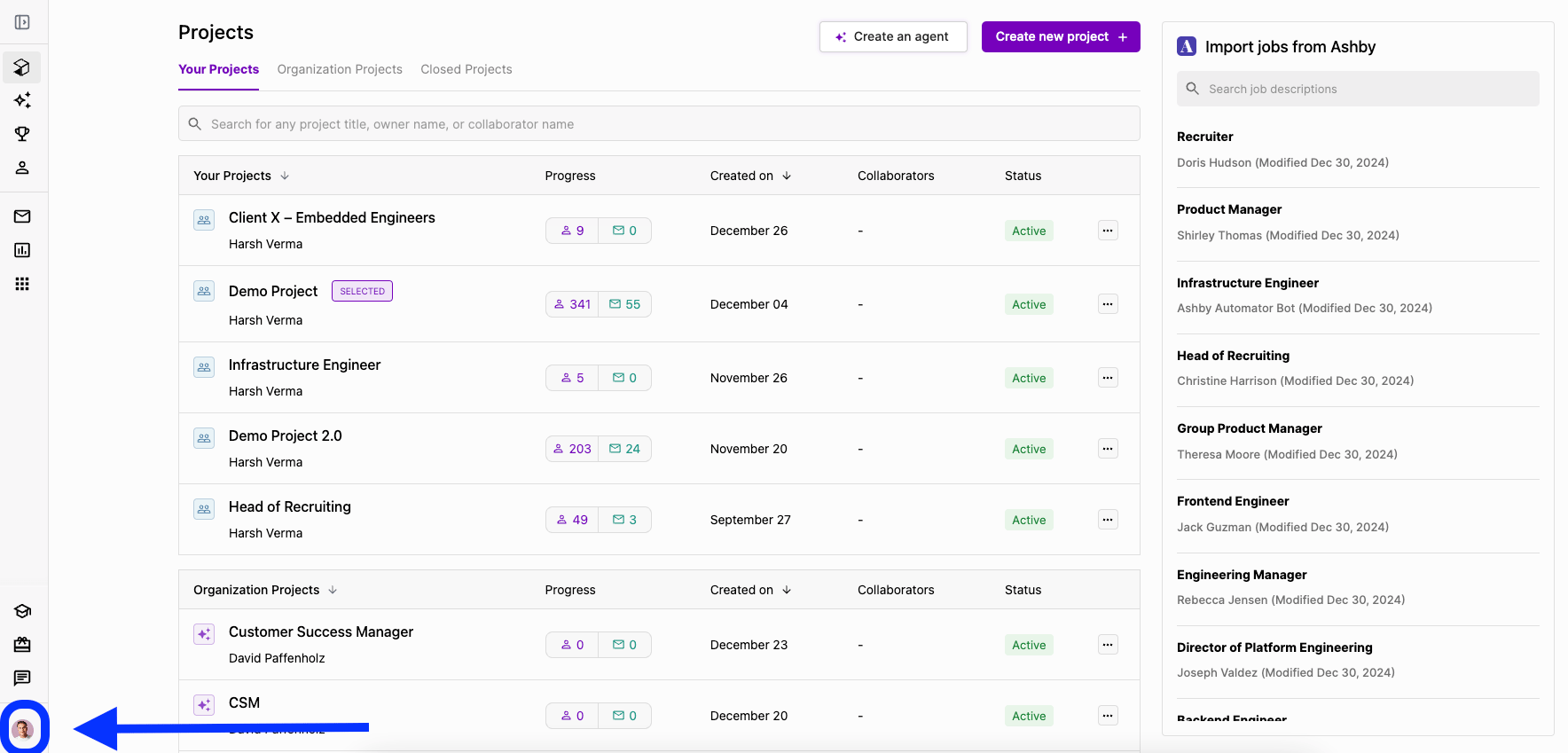
1. Select your profile icon on the bottom left of the screen.
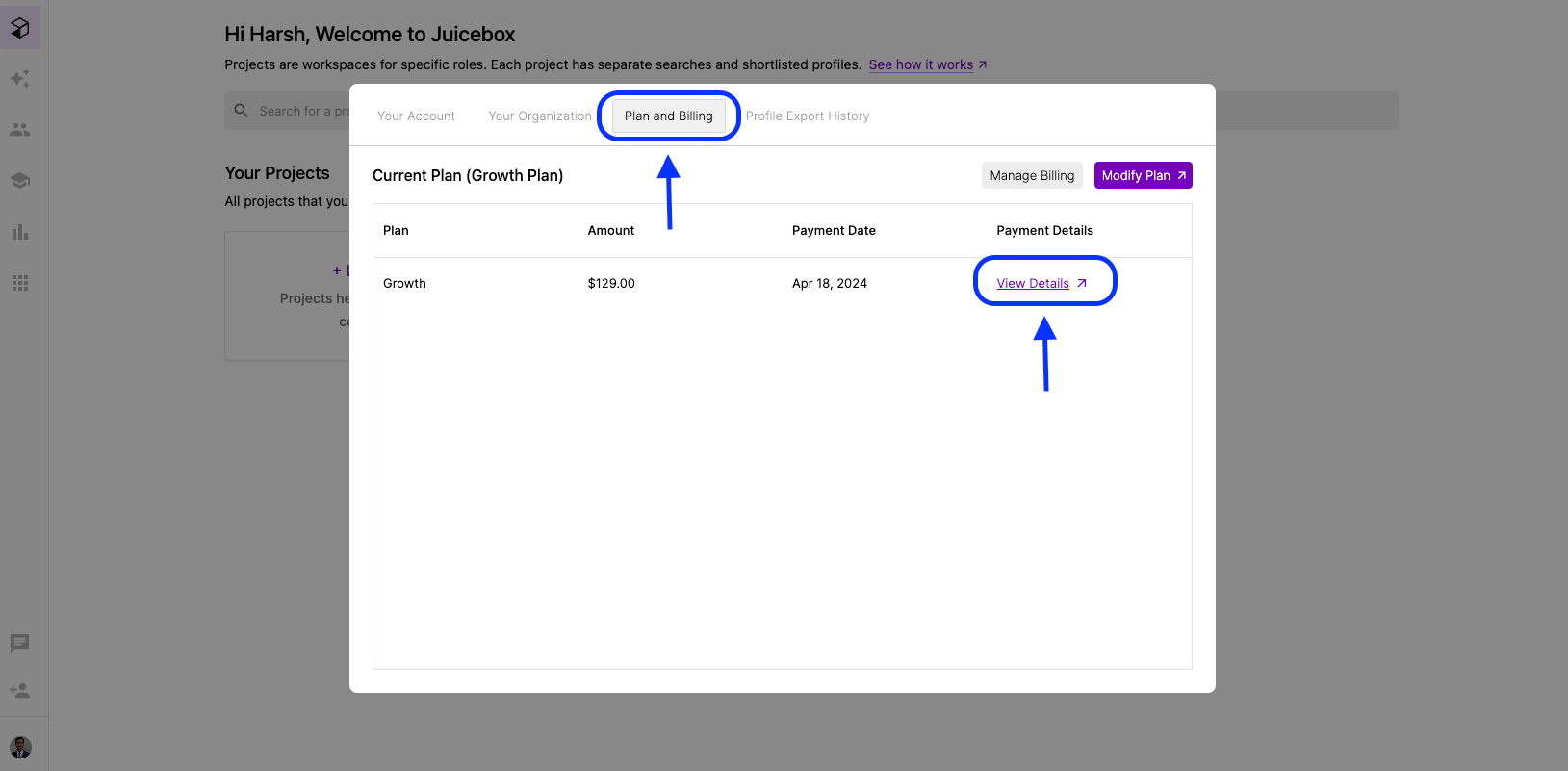
 2. Under **Plan and Billing**, select **View Plans** for the relevant invoice.
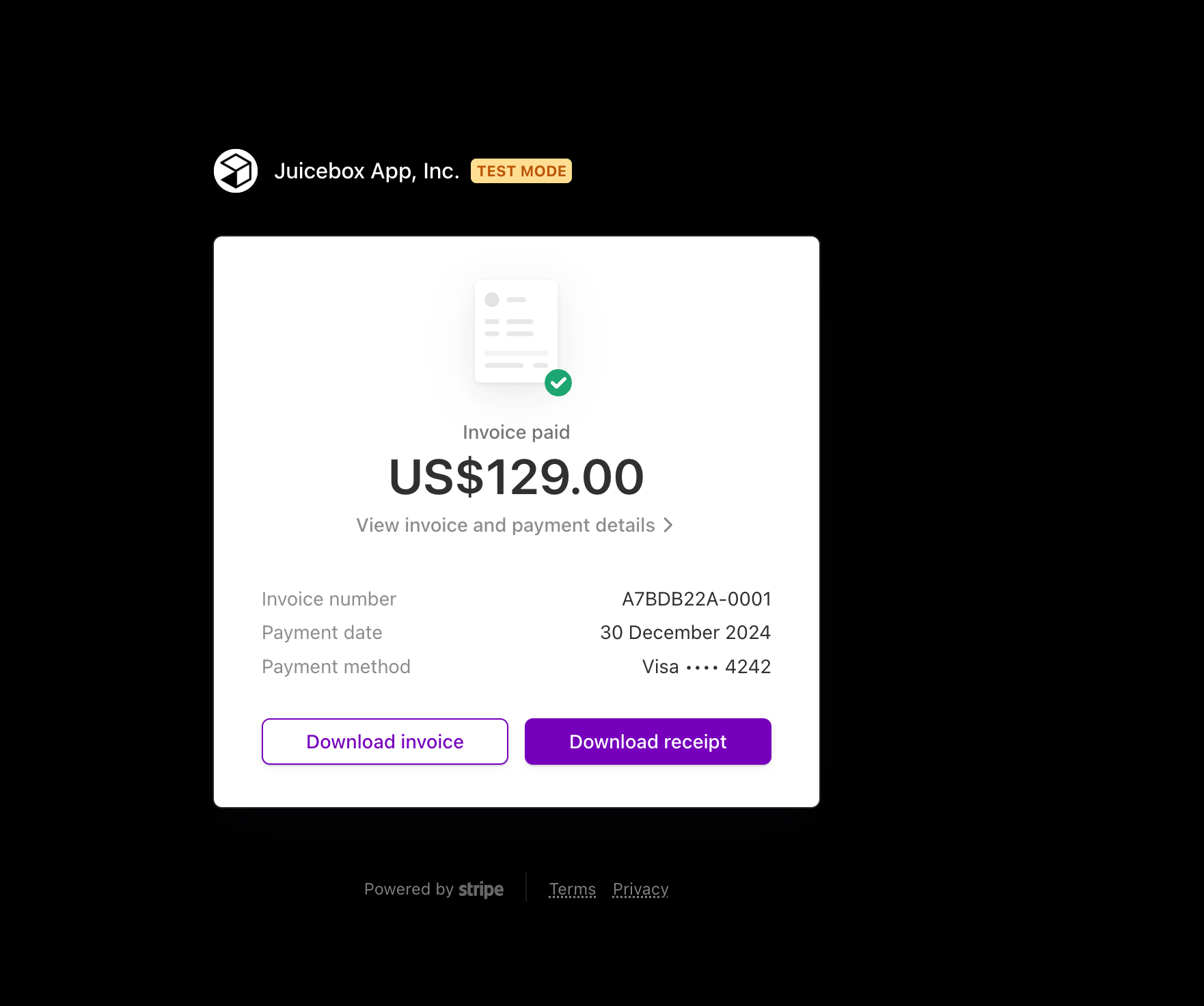
 3. Click **Download Invoice**.
 In case you have any further questions, reach out to us at [support@juicebox.ai](mailto:support@juicebox.ai).