> ## Documentation Index
> Fetch the complete documentation index at: https://docs.juicebox.ai/llms.txt
> Use this file to discover all available pages before exploring further.
# How can I update my payment method or billing info?
> Change your payment method, edit billing information, or manage your subscription.
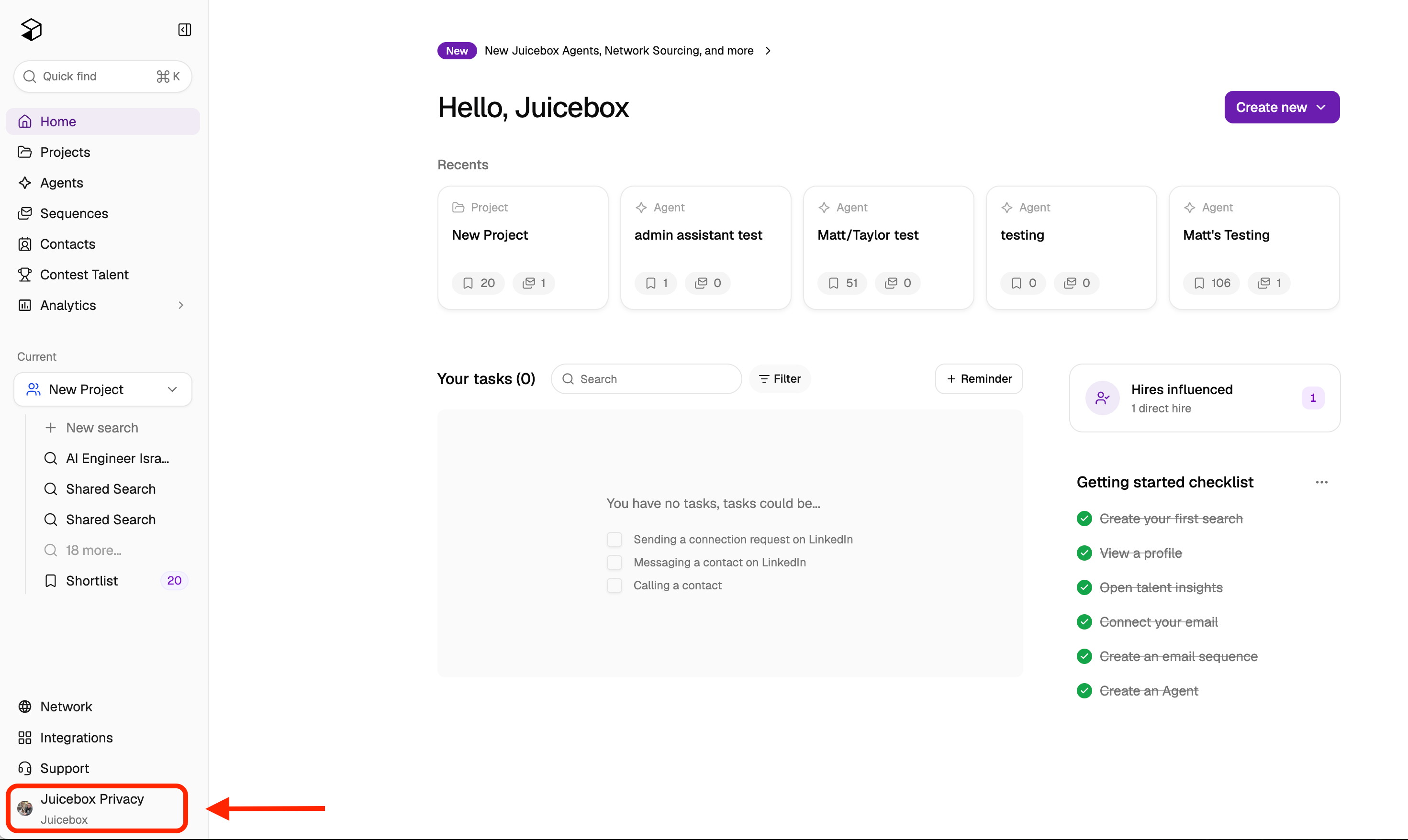
To manage your payment method, billing information, or subscription, click on your name/organization at the bottom left corner of the screen.
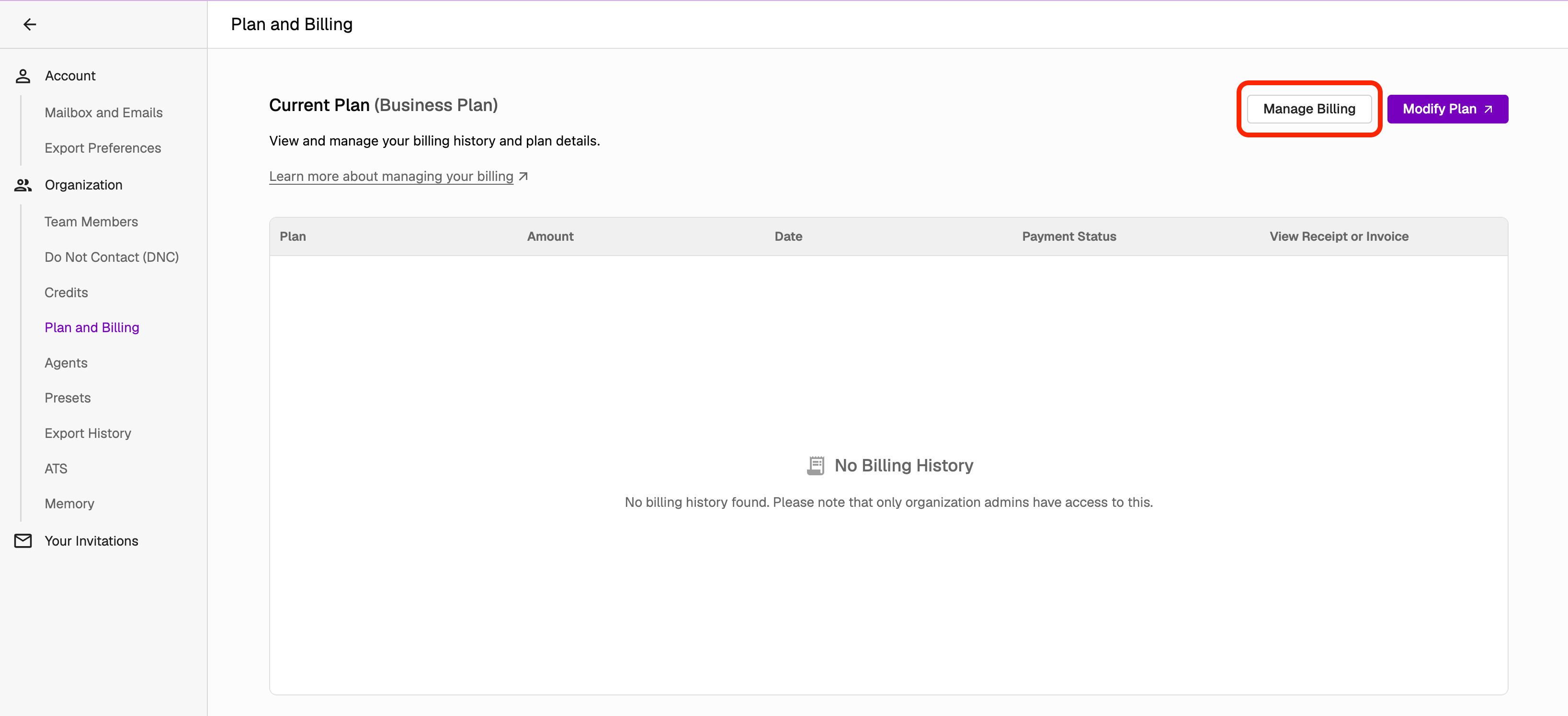
 Next, select **Account Settings > Plan and Billing**. From here, you can:
* **Manage Billing** — change your billing information or payment method, or cancel your subscription.
* **Change Plan** — upgrade, downgrade, or switch between monthly and annual billing.
Next, select **Account Settings > Plan and Billing**. From here, you can:
* **Manage Billing** — change your billing information or payment method, or cancel your subscription.
* **Change Plan** — upgrade, downgrade, or switch between monthly and annual billing.
 From the **Manage Billing** portal, you can update your card on file and billing details.
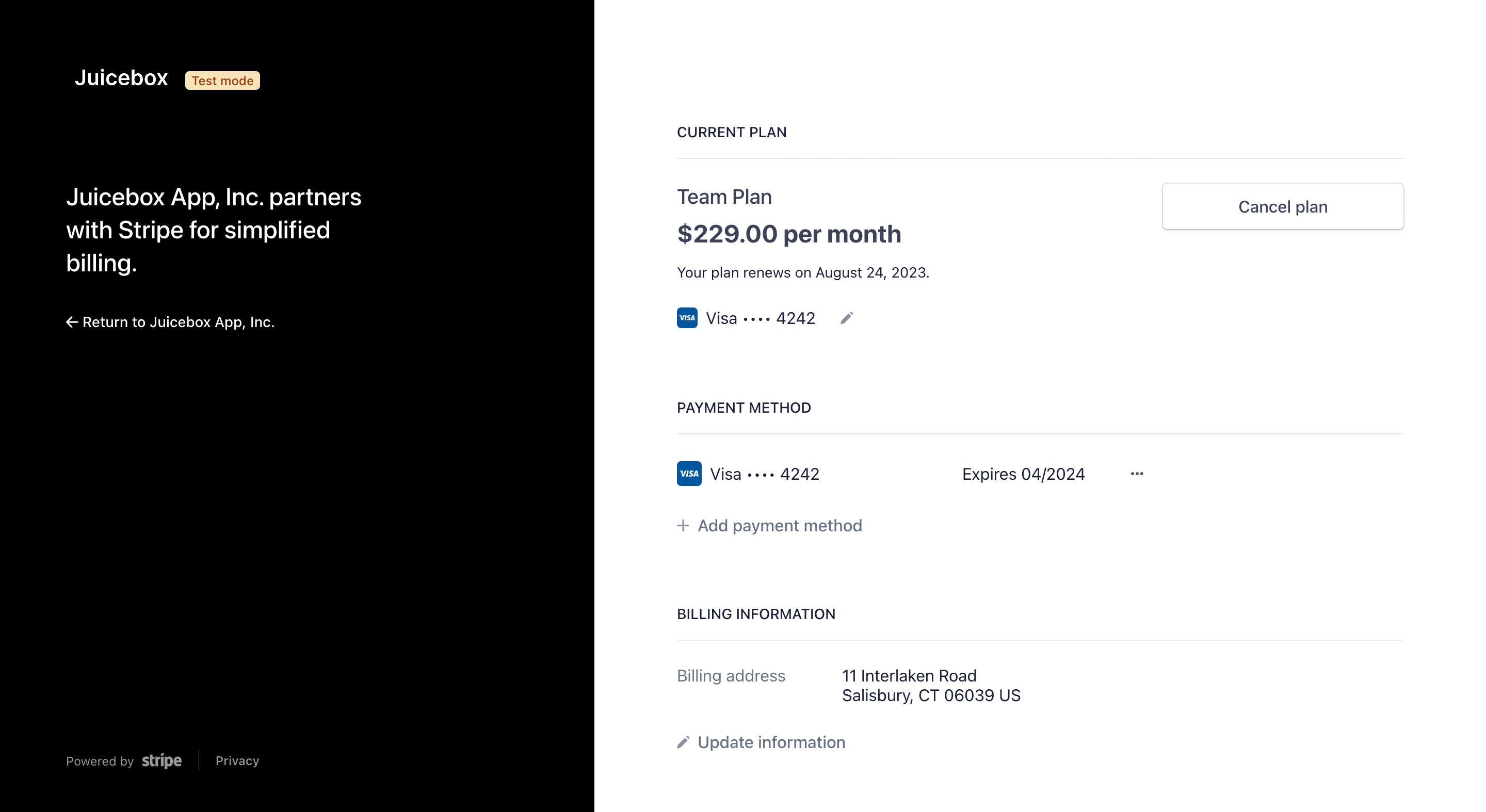 Cancelling your subscription from this page prevents future charges while keeping your account active until the next renewal date. See [How can I cancel my subscription?](/help/billing/cancel-subscription) for details.
If your issue is not resolved, reach out to us at [support@juicebox.ai](mailto:support@juicebox.ai).
Cancelling your subscription from this page prevents future charges while keeping your account active until the next renewal date. See [How can I cancel my subscription?](/help/billing/cancel-subscription) for details.
If your issue is not resolved, reach out to us at [support@juicebox.ai](mailto:support@juicebox.ai).