> ## Documentation Index
> Fetch the complete documentation index at: https://docs.juicebox.ai/llms.txt
> Use this file to discover all available pages before exploring further.
# How can I re-enroll bounced emails?
> Put profiles whose emails bounced back into a sequence.
You can re-enroll emails that have bounced into a sequence.
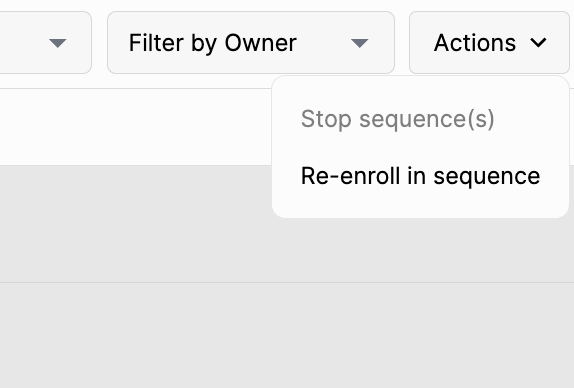
To do so, go to the sequence menu, select the profiles that have bounced, and click **Actions > Re-enroll in sequence**.
 Finally, select the desired sequence, preview, and send.
Before re-enrolling, consider what caused the bounce in the first place — see [Why does an email bounce?](/help/deliverability/email-bounces) and [How can I minimize bounces?](/help/deliverability/minimize-bounces) You can also enable **Auto-enroll with fallback after email bounce** in your [organization settings](/manage-account#general).
Finally, select the desired sequence, preview, and send.
Before re-enrolling, consider what caused the bounce in the first place — see [Why does an email bounce?](/help/deliverability/email-bounces) and [How can I minimize bounces?](/help/deliverability/minimize-bounces) You can also enable **Auto-enroll with fallback after email bounce** in your [organization settings](/manage-account#general).