> ## Documentation Index
> Fetch the complete documentation index at: https://docs.juicebox.ai/llms.txt
> Use this file to discover all available pages before exploring further.
# Hire for Good
> Report a hire you made through Juicebox and we donate $50 to a cause of your choice.
Hire for Good celebrates the hires you make through Juicebox. When you report a hire sourced on the platform, Juicebox donates \$50 to a cause you select from an approved list.
 ## Who can participate
Hire for Good is available on all paid Juicebox plans. Hiring Manager seats cannot submit hires.
## Submit a hire
You can open the Hire for Good form from three places:
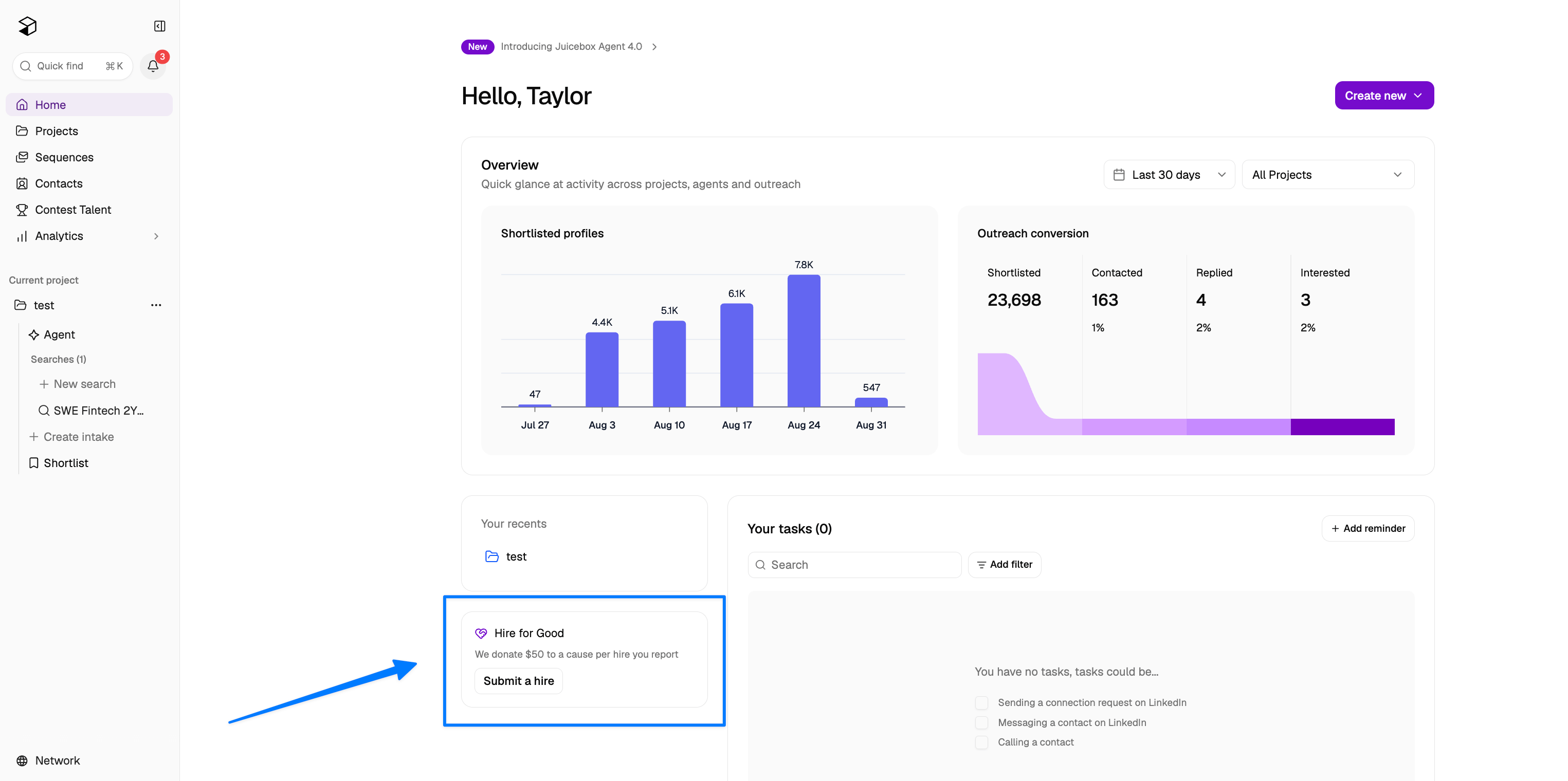
* The Hire for Good card on your Home page: click **Submit a hire**.
* The **Hire for Good** button at the top of the Projects page.
* **Settings** > **Hire for Good** > **Submit a hire**.
## Who can participate
Hire for Good is available on all paid Juicebox plans. Hiring Manager seats cannot submit hires.
## Submit a hire
You can open the Hire for Good form from three places:
* The Hire for Good card on your Home page: click **Submit a hire**.
* The **Hire for Good** button at the top of the Projects page.
* **Settings** > **Hire for Good** > **Submit a hire**.
 Juicebox also prompts you to submit when you close a project after making a hire.
To complete a submission:
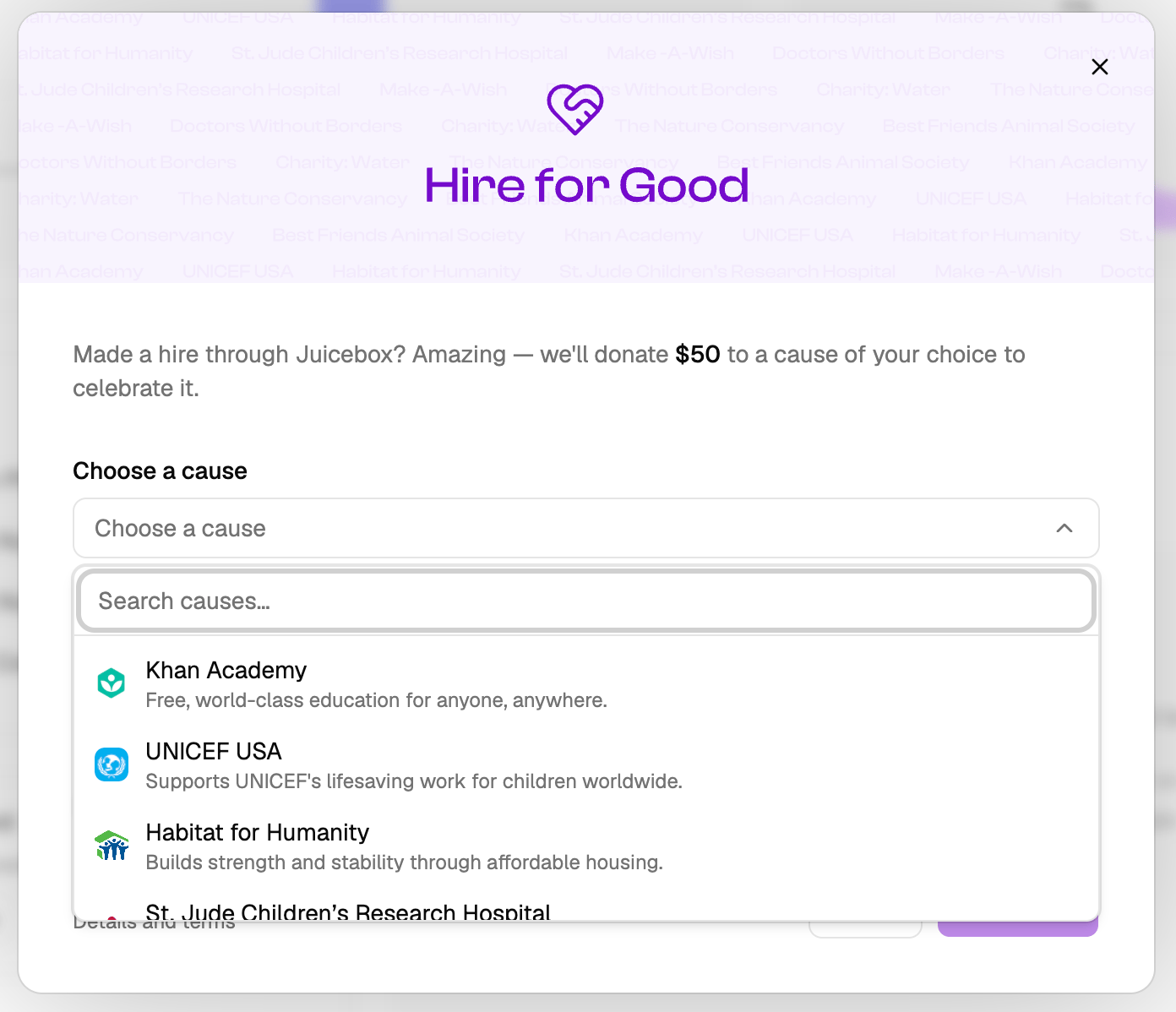
1. Under **Choose a cause**, pick a charity from the list.
2. Under **Who did you hire?**, search for the candidate by name or paste a Juicebox profile link. If the profile is no longer in Juicebox, type the candidate's name and select it.
3. Check **I confirm this person was sourced using Juicebox**.
4. Click **Submit hire**.
Each hire can only be submitted once. If you or a teammate has already submitted the same hire, Juicebox shows a notice and counts only the earlier submission — a duplicate won't trigger a second donation.
## Track your submissions
Go to **Settings** > **Hire for Good** to see your submissions and the total Juicebox has donated. Admins see every submission in the organization. Other team members see their own.
Each submission shows one of three statuses:
* **In review**: Juicebox is verifying the hire against platform data and may ask you for more information. Review can take up to 60 days.
* **Donated**: Your submission is approved and the donation is committed. Juicebox batches approved donations and sends them to the charities quarterly, so the charity may receive the funds after this status appears.
* **Rejected**: The submission was incomplete, duplicative, or inconsistent with Juicebox platform data. Approval is at Juicebox's discretion.
## Approved charities
You can direct your donation to any cause on the approved list:
* Khan Academy
* UNICEF USA
* Habitat for Humanity
* St. Jude Children's Research Hospital
* Make-A-Wish
* Doctors Without Borders
* charity: water
* The Nature Conservancy
* Best Friends Animal Society
The list may change over time.
## Good to know
* Donations are made by Juicebox, in Juicebox's name, from Juicebox's own funds. No funds pass through you and no part of your subscription fees is set aside for charitable giving. You won't receive a donation receipt, and donations aren't tax deductible for you.
* Donations are not a credit, discount, or refund, and cannot be exchanged for cash or anything else of value.
* Juicebox reviews every submission and may reject submissions that appear inaccurate, duplicative, or inconsistent with platform data.
* Juicebox may change the donation amount or charity list, or end the program, at any time.
For full details, see the [Hire for Good program terms](https://juicebox.ai/terms/hire-for-good).
Juicebox also prompts you to submit when you close a project after making a hire.
To complete a submission:
1. Under **Choose a cause**, pick a charity from the list.
2. Under **Who did you hire?**, search for the candidate by name or paste a Juicebox profile link. If the profile is no longer in Juicebox, type the candidate's name and select it.
3. Check **I confirm this person was sourced using Juicebox**.
4. Click **Submit hire**.
Each hire can only be submitted once. If you or a teammate has already submitted the same hire, Juicebox shows a notice and counts only the earlier submission — a duplicate won't trigger a second donation.
## Track your submissions
Go to **Settings** > **Hire for Good** to see your submissions and the total Juicebox has donated. Admins see every submission in the organization. Other team members see their own.
Each submission shows one of three statuses:
* **In review**: Juicebox is verifying the hire against platform data and may ask you for more information. Review can take up to 60 days.
* **Donated**: Your submission is approved and the donation is committed. Juicebox batches approved donations and sends them to the charities quarterly, so the charity may receive the funds after this status appears.
* **Rejected**: The submission was incomplete, duplicative, or inconsistent with Juicebox platform data. Approval is at Juicebox's discretion.
## Approved charities
You can direct your donation to any cause on the approved list:
* Khan Academy
* UNICEF USA
* Habitat for Humanity
* St. Jude Children's Research Hospital
* Make-A-Wish
* Doctors Without Borders
* charity: water
* The Nature Conservancy
* Best Friends Animal Society
The list may change over time.
## Good to know
* Donations are made by Juicebox, in Juicebox's name, from Juicebox's own funds. No funds pass through you and no part of your subscription fees is set aside for charitable giving. You won't receive a donation receipt, and donations aren't tax deductible for you.
* Donations are not a credit, discount, or refund, and cannot be exchanged for cash or anything else of value.
* Juicebox reviews every submission and may reject submissions that appear inaccurate, duplicative, or inconsistent with platform data.
* Juicebox may change the donation amount or charity list, or end the program, at any time.
For full details, see the [Hire for Good program terms](https://juicebox.ai/terms/hire-for-good).