> ## Documentation Index
> Fetch the complete documentation index at: https://docs.juicebox.ai/llms.txt
> Use this file to discover all available pages before exploring further.
# Knowledge Vault
> How Juicebox remembers context about you, your organization, and your searches to personalize AI results.
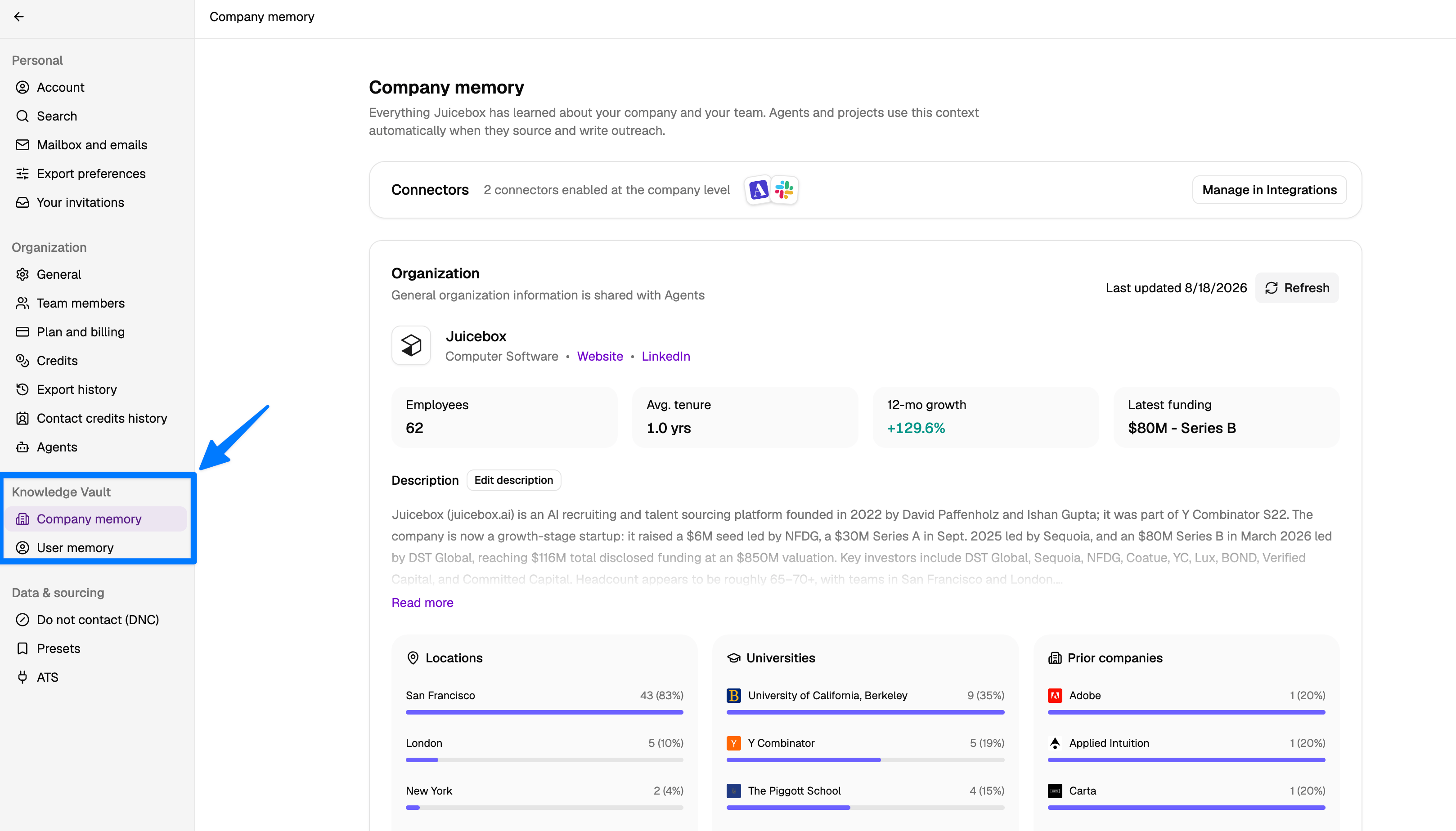
Memory is how Juicebox personalizes AI-generated work (searches, criteria, sequences, and Agents) to the way you and your team actually recruit. You can review everything Juicebox has learned from the **Knowledge Vault** section in your account settings.
To open it, click your name/organization at the bottom of the left-hand menu, select **Account Settings**, then find **Knowledge Vault** in the sidebar.
 ## Types of memory
Juicebox stores two kinds of memory:
* **Company memory**: Everything Juicebox has learned about your company and team, like hiring patterns, feeder companies, and target schools. Agents and projects automatically use this as context when sourcing candidates and writing outreach.
* **User memory**: Everything Juicebox has learned about you and how you recruit. Agents use this to personalize candidate evaluation and draft outreach that matches your priorities and communication style.
Both feed into your searches, sequences, and Agents so that results reflect what your team is actually looking for, without you having to repeat yourself in every prompt.
## Company memory
Company memory captures how your organization hires. It includes:
* **Organization overview**: what your company does, headcount, growth, and funding, gathered automatically from publicly available sources. It also summarizes where your team is located, which universities they attended, and where they worked before.
* **Hiring pattern**: who you actually hired in the last 12 months. This is the strongest signal for who to find next. You can filter by role and view talent flow.
* **Feeder companies and target schools**: the companies and schools your recent hires most commonly come from.
## Types of memory
Juicebox stores two kinds of memory:
* **Company memory**: Everything Juicebox has learned about your company and team, like hiring patterns, feeder companies, and target schools. Agents and projects automatically use this as context when sourcing candidates and writing outreach.
* **User memory**: Everything Juicebox has learned about you and how you recruit. Agents use this to personalize candidate evaluation and draft outreach that matches your priorities and communication style.
Both feed into your searches, sequences, and Agents so that results reflect what your team is actually looking for, without you having to repeat yourself in every prompt.
## Company memory
Company memory captures how your organization hires. It includes:
* **Organization overview**: what your company does, headcount, growth, and funding, gathered automatically from publicly available sources. It also summarizes where your team is located, which universities they attended, and where they worked before.
* **Hiring pattern**: who you actually hired in the last 12 months. This is the strongest signal for who to find next. You can filter by role and view talent flow.
* **Feeder companies and target schools**: the companies and schools your recent hires most commonly come from.
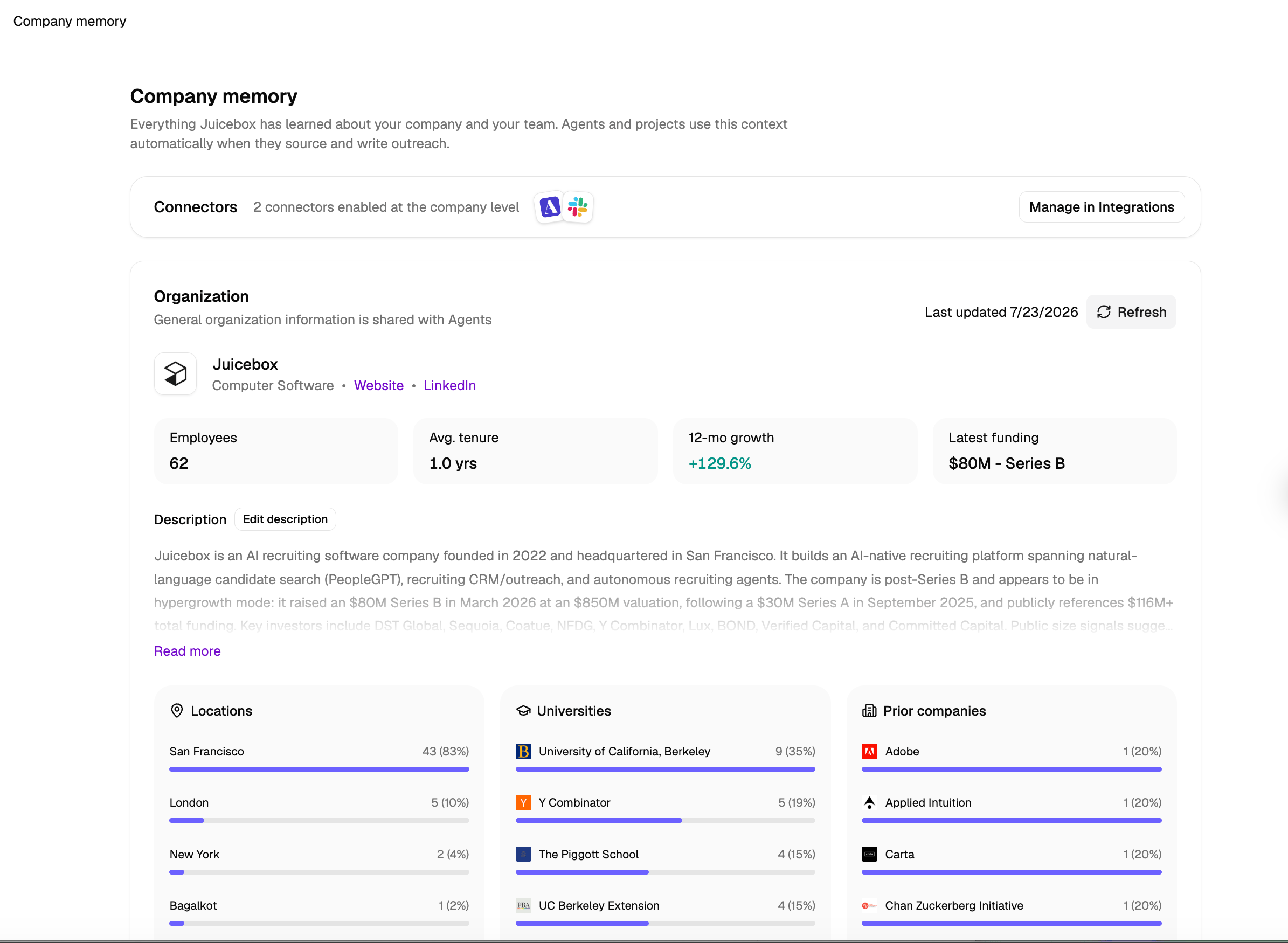 You can refresh the organization overview at any time with the **Refresh** button, or click **Edit description** to correct or add details.
### Memory-enhanced criteria generation
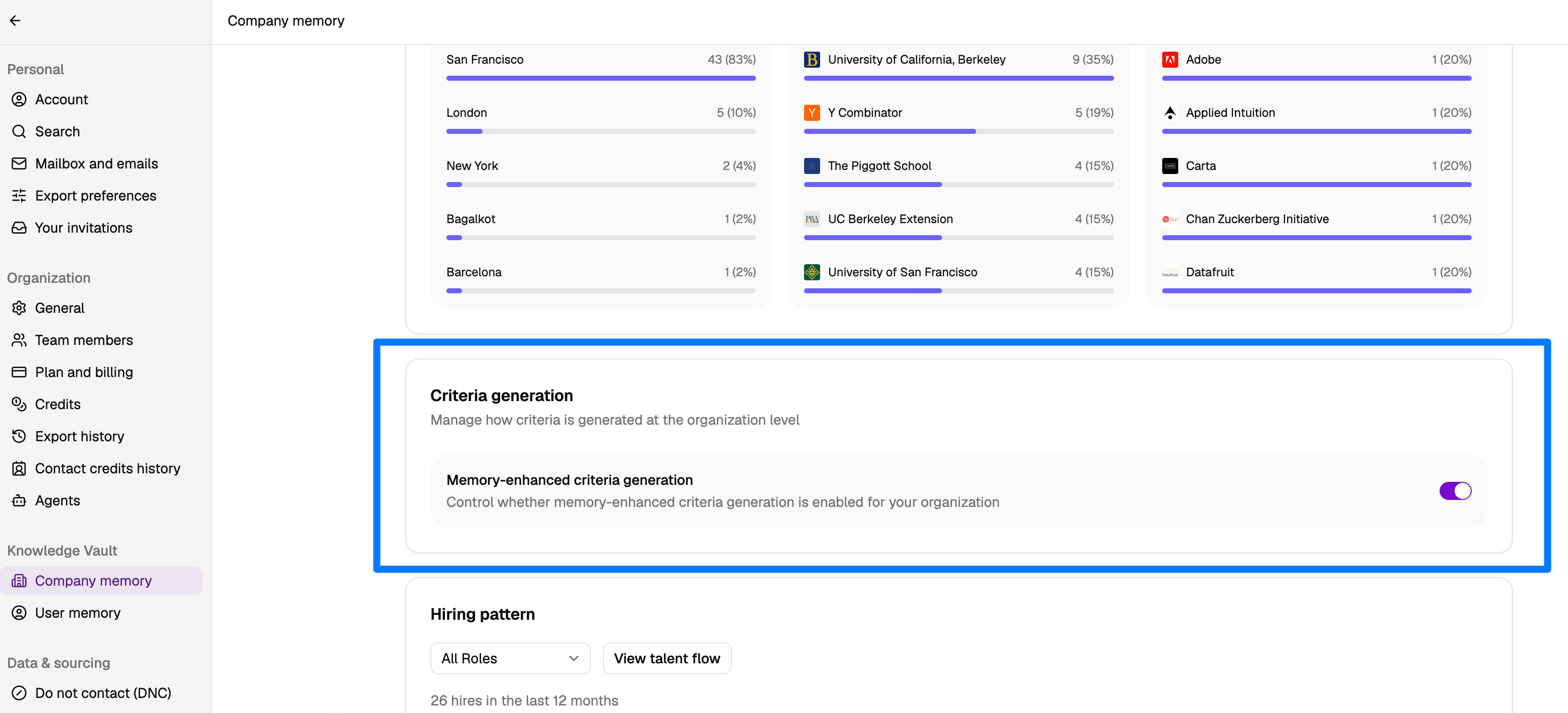
Admins can control whether memory is used when generating search criteria for the organization. Toggle **Memory-enhanced criteria generation** on or off from the Company memory page.
You can refresh the organization overview at any time with the **Refresh** button, or click **Edit description** to correct or add details.
### Memory-enhanced criteria generation
Admins can control whether memory is used when generating search criteria for the organization. Toggle **Memory-enhanced criteria generation** on or off from the Company memory page.
 ## User memory
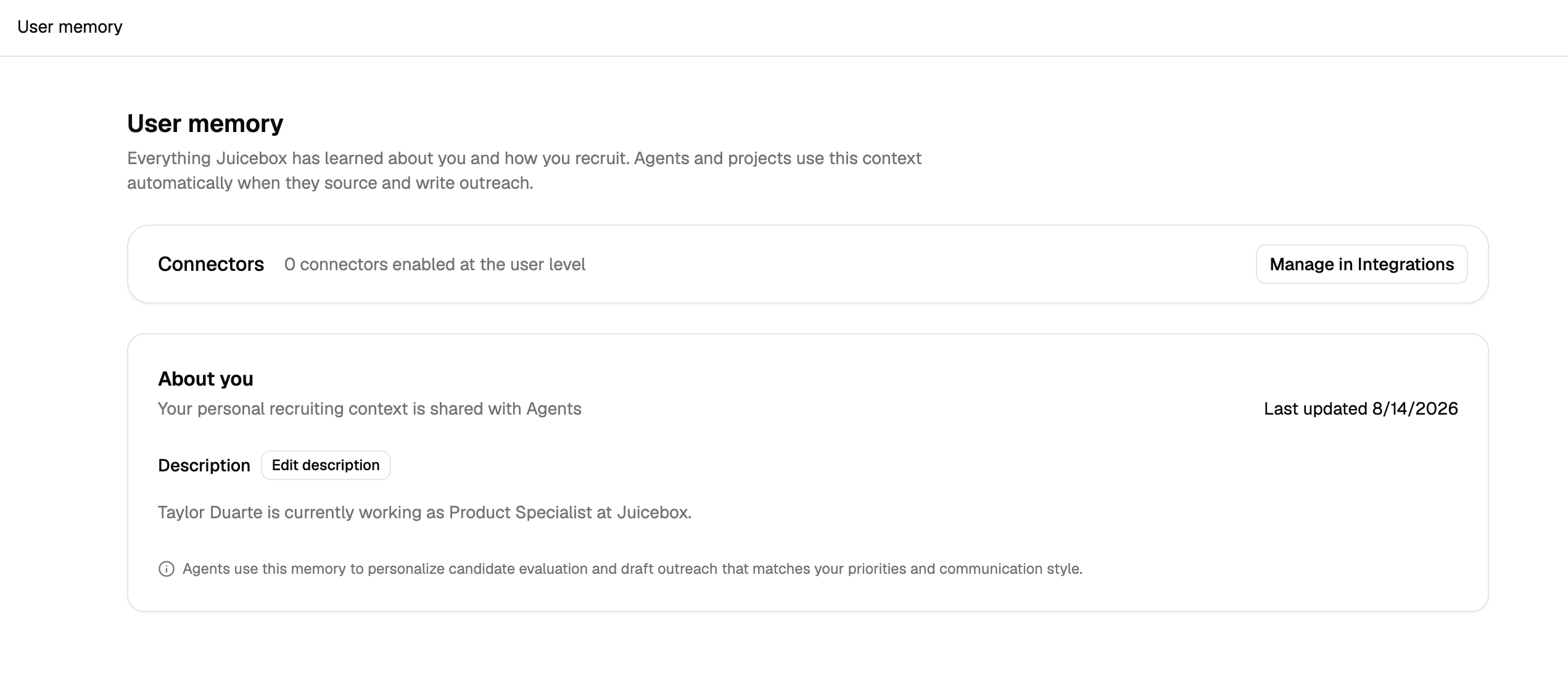
User memory is your personal recruiting context. It includes:
* **About you**: your role and background, gathered automatically from publicly available sources when you sign up. Click **Edit description** to update it.
* **Search preferences**: the requirements you tend to care about, learned from the searches you run, the criteria you add, the profiles you shortlist or hide, and the feedback you give.
## User memory
User memory is your personal recruiting context. It includes:
* **About you**: your role and background, gathered automatically from publicly available sources when you sign up. Click **Edit description** to update it.
* **Search preferences**: the requirements you tend to care about, learned from the searches you run, the criteria you add, the profiles you shortlist or hide, and the feedback you give.
 ## Recent searches
Juicebox retains your past runs and shortlists so they can be reused as context for future work.
## Connectors
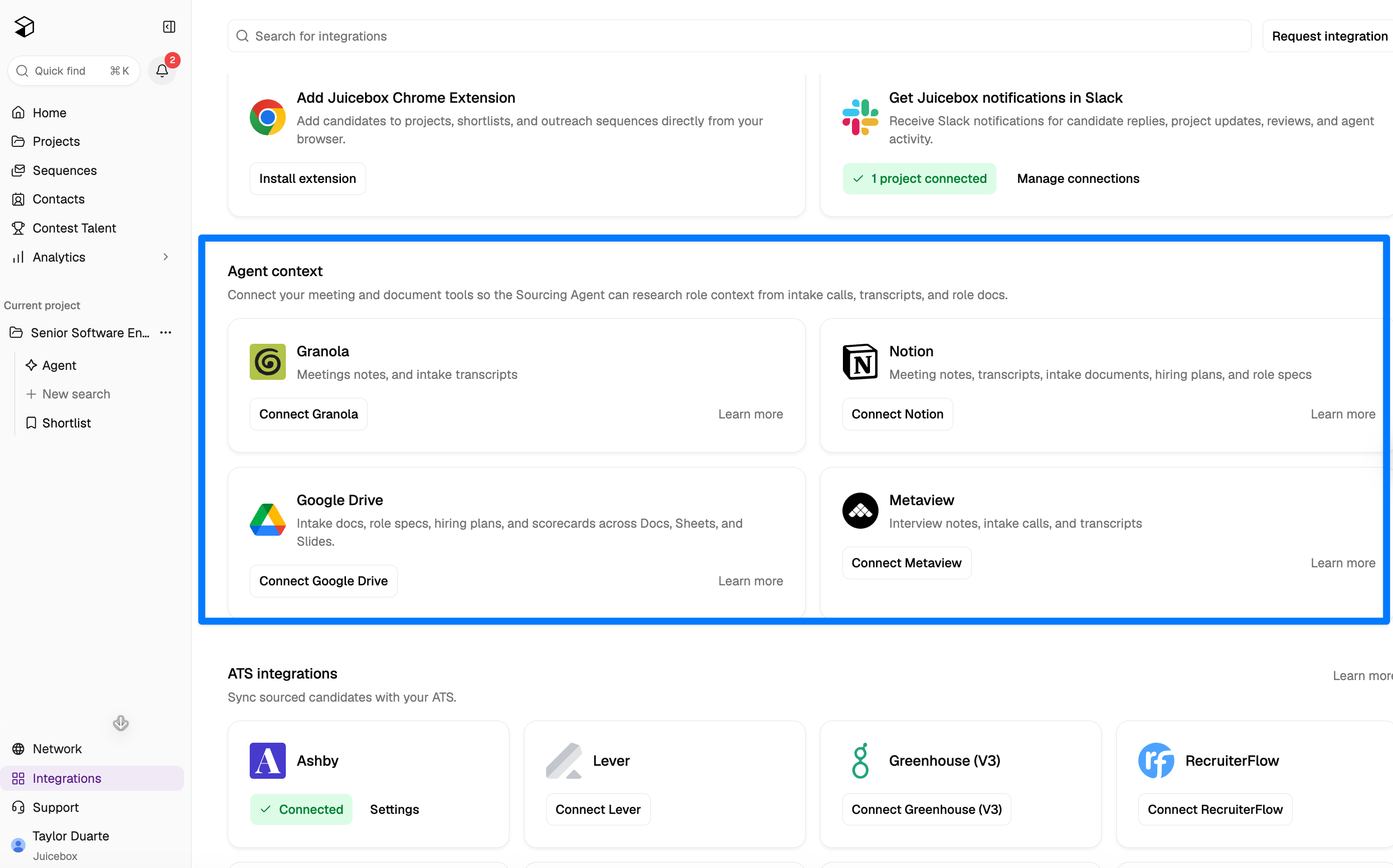
Both memory pages show which connectors are feeding them. Connectors can be enabled at the company level (shared across your team) or the user level (just for you). Click **Manage in Integrations** to add or remove connectors.
## Recent searches
Juicebox retains your past runs and shortlists so they can be reused as context for future work.
## Connectors
Both memory pages show which connectors are feeding them. Connectors can be enabled at the company level (shared across your team) or the user level (just for you). Click **Manage in Integrations** to add or remove connectors.
 ## Editing memory
You can edit the description on both Company memory and User memory at any time:
* Update or remove details that are out of date or inaccurate.
* Add context Juicebox may have missed (for example, a new business line, a hiring focus, or a preferred candidate profile).
Changes take effect immediately and apply to future searches, sequences, and Agent runs.
Hiring patterns, feeder companies, and target schools are generated automatically from your data and aren't directly editable.
## Criteria
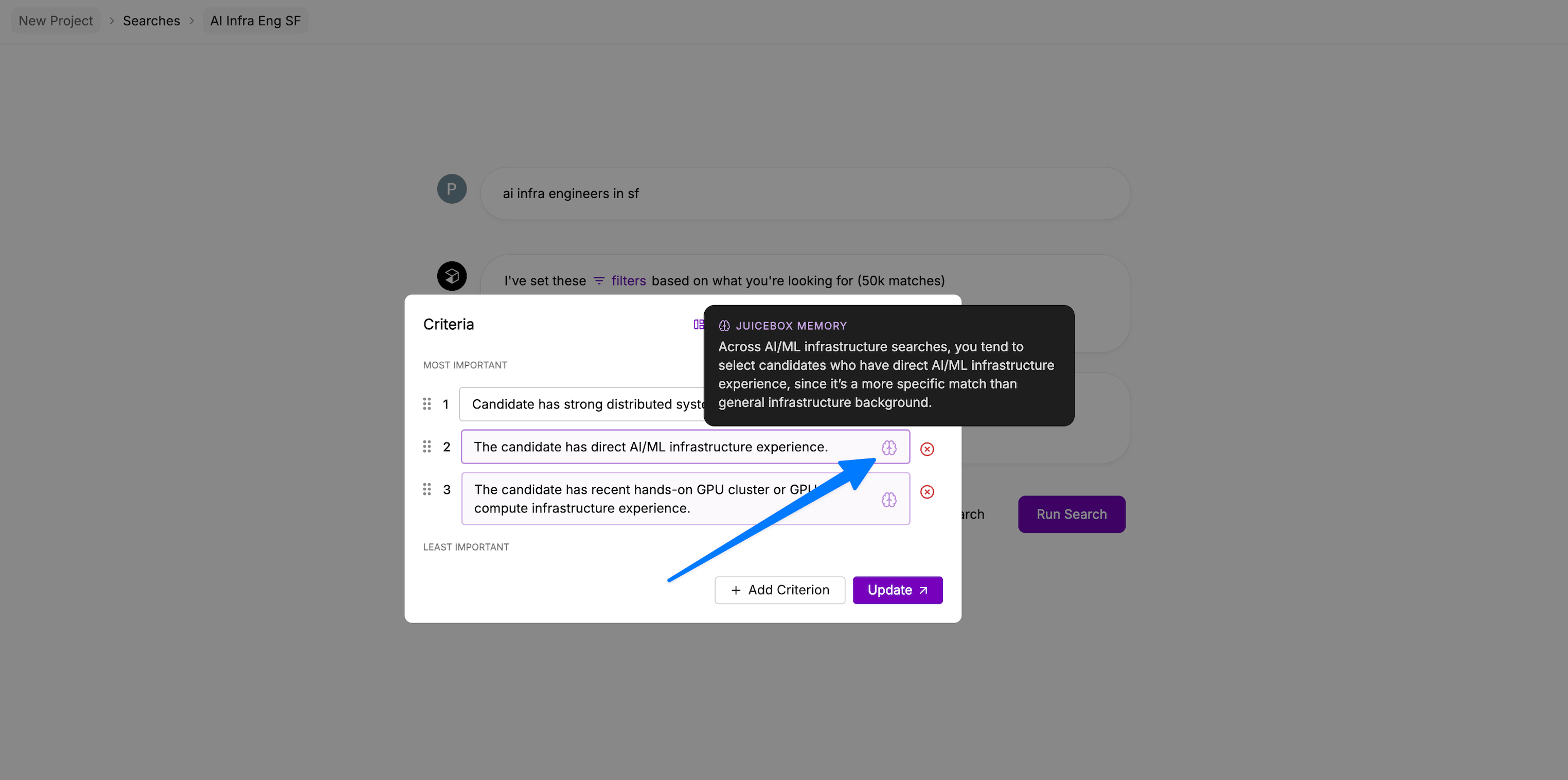
Memory surfaces directly in [criteria](/criteria). When Juicebox adds a criterion based on what it has learned from your past searches, it's labeled **criteria added by memory**.
Hover the memory icon next to a criterion to see the specific memory that influenced it.
## Editing memory
You can edit the description on both Company memory and User memory at any time:
* Update or remove details that are out of date or inaccurate.
* Add context Juicebox may have missed (for example, a new business line, a hiring focus, or a preferred candidate profile).
Changes take effect immediately and apply to future searches, sequences, and Agent runs.
Hiring patterns, feeder companies, and target schools are generated automatically from your data and aren't directly editable.
## Criteria
Memory surfaces directly in [criteria](/criteria). When Juicebox adds a criterion based on what it has learned from your past searches, it's labeled **criteria added by memory**.
Hover the memory icon next to a criterion to see the specific memory that influenced it.