Types of memory
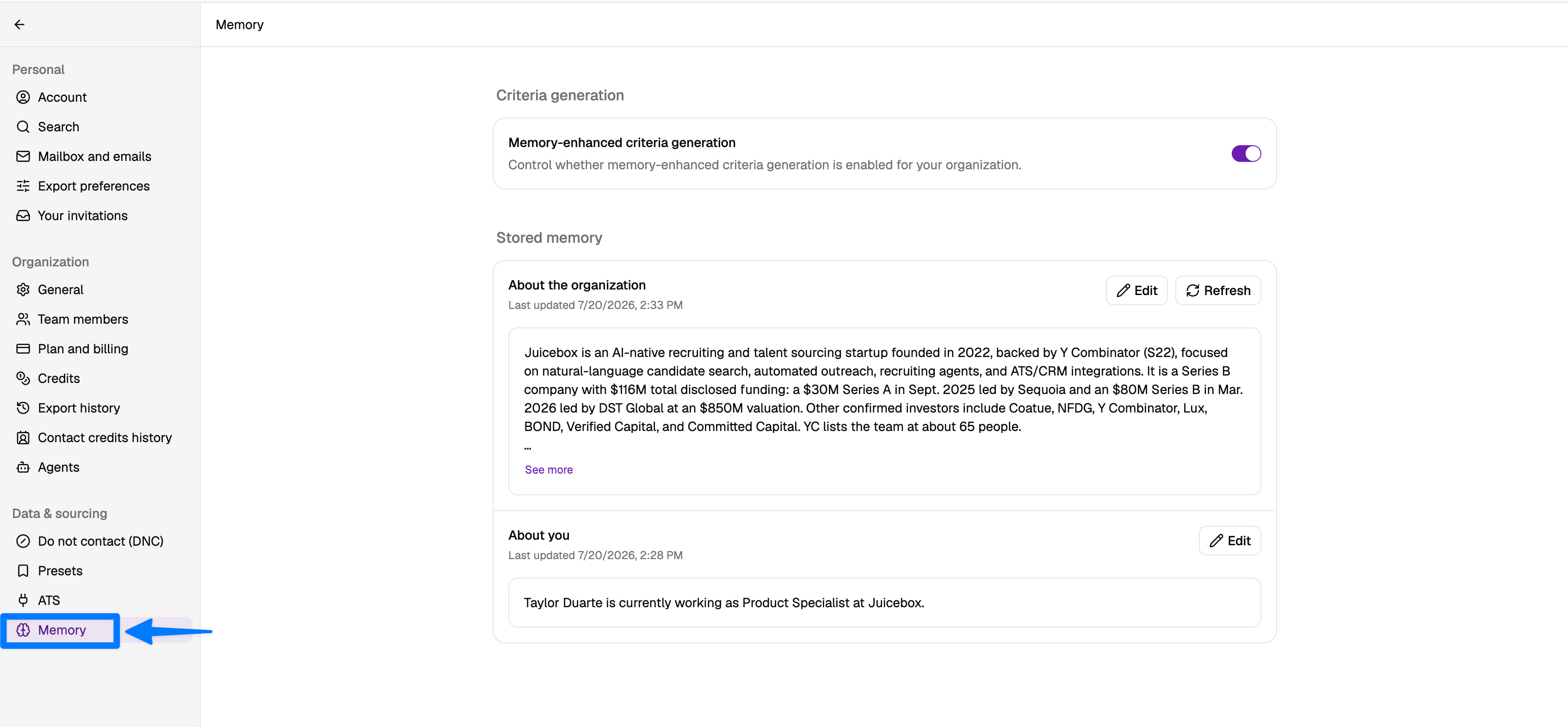
Juicebox stores two kinds of memory:- Profile and Org Context: background research about you and your organization, gathered automatically when you sign up.
- Usage Memory: preferences and patterns Juicebox picks up from the searches and inputs you run day-to-day.
Profile and Org Context
When you sign up, Juicebox automatically runs deep research online about:- You: your role, background, and other publicly available context.
- Your organization: what your company does, and other publicly available context.
Notifications when memory updates
Whenever Juicebox adds to or updates your Profile and Org Context, you’ll get an in-app notification. Open the notification to review what changed.Editing memory
You can edit Profile and Org Context at any time from the Memory tab:- Update or remove entries that are out of date or inaccurate.
- Add context Juicebox may have missed (for example, a new business line, a hiring focus, or a preferred candidate profile).
Usage Memory
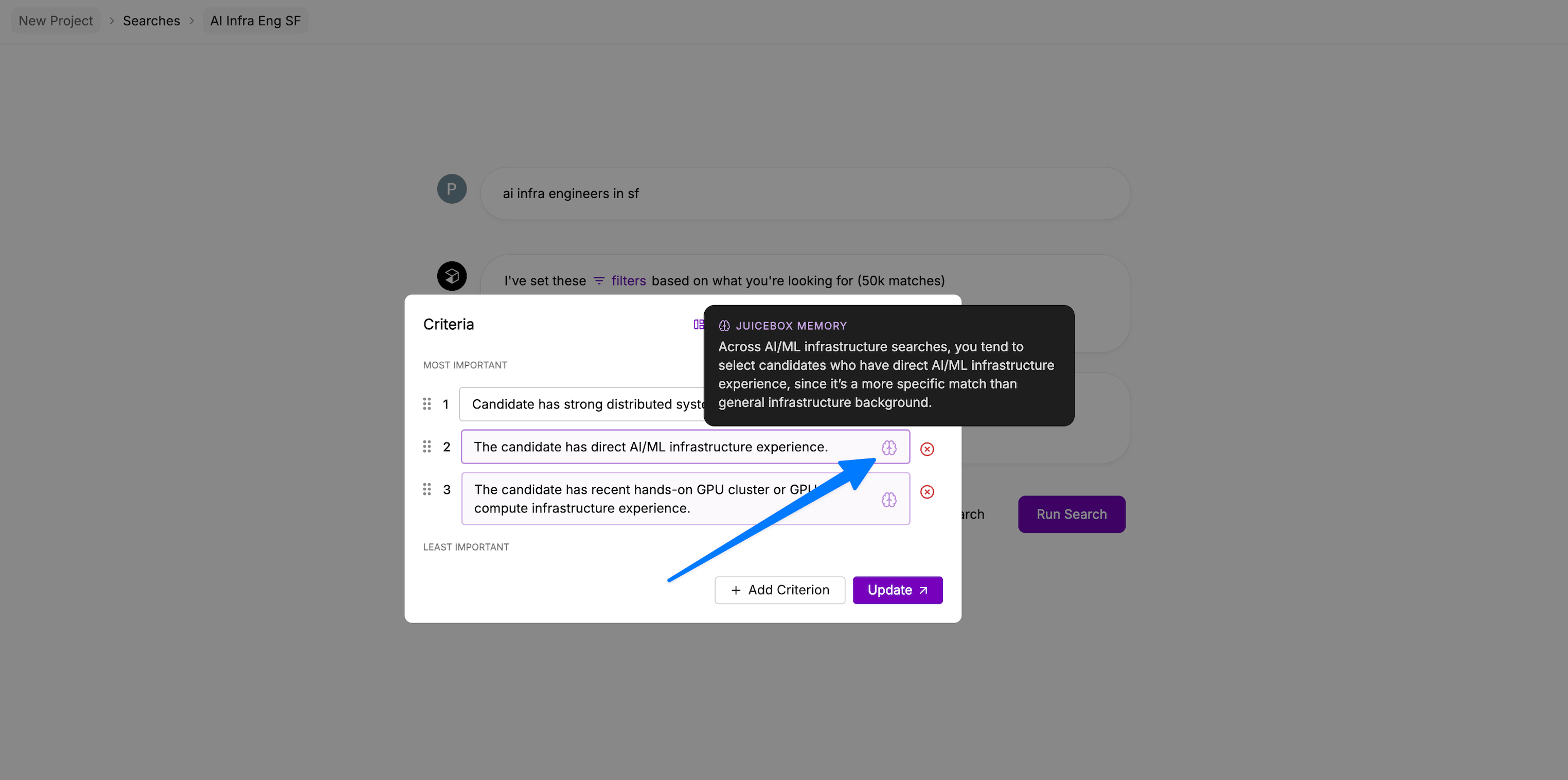
Usage Memory captures preferences Juicebox learns from how you actually use the product, including the searches you run, the criteria you add, the profiles you shortlist or hide, and the feedback you give. Over time, this lets Juicebox anticipate the requirements you tend to care about without you having to spell them out every time. Usage Memory is maintained automatically in the background. It isn’t directly editable from the Memory tab, only Profile and Org Context can be reviewed and edited there.Criteria
Usage Memory surfaces directly in criteria. When Juicebox adds a criterion based on what it has learned from your past searches, it’s labeled criteria added by memory. Hover the memory icon next to a criterion to see the specific memory that influenced it.