

Effectively rediscover talent already in your ATS.
Getting Started
- Open a Juicebox project and edit your filters
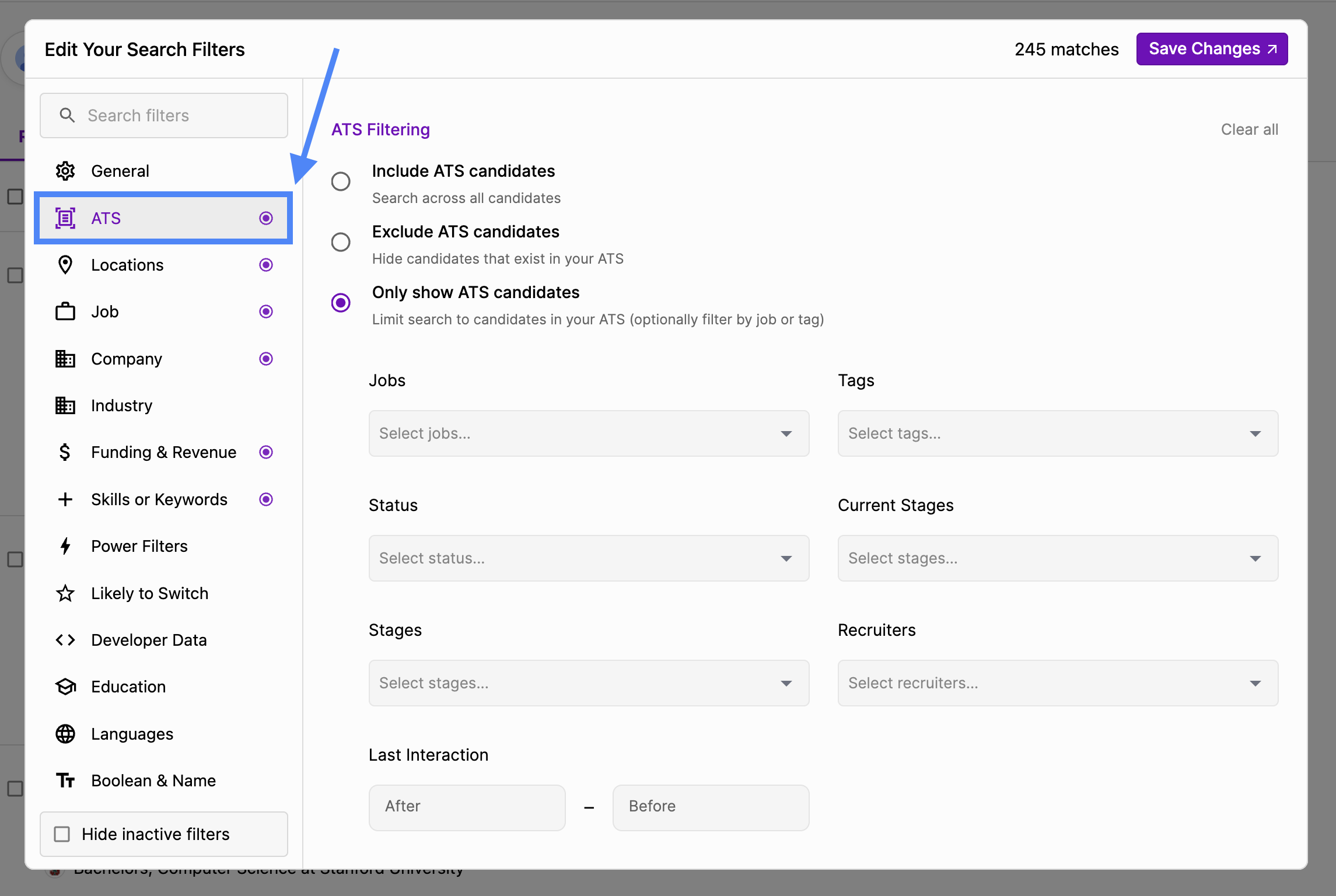
- Within Edit Your Search Filters, click on ATS
- Select an ATS mode based on your use case:
- Include ATS candidates: search across all candidates.
- Exclude ATS candidates: hide everyone in your ATS.
- Exclude recent ATS candidates: hide only candidates who are active in your ATS. Older ATS candidates stay searchable. See Exclude recent ATS candidates.
- Only show ATS candidates: search only candidates in your ATS.
- If you are only showing ATS candidates, fine-tune your results using Juicebox’s ATS-based filters such as:
- Jobs
- Tags
- Current Stages
- Stages
- Recruiters
- Last Interaction
Exclude recent ATS candidates
Use Exclude recent ATS candidates when you want to skip people your team is actively talking to, but still rediscover older ATS candidates. For example, a candidate archived three years ago can show up in your results, while someone with an open application stays hidden. Juicebox hides a candidate in this mode when their application in your ATS is:- Active, or
- Archived or Hired, and the candidate’s last interaction falls inside your organization’s recent ATS activity window.
- An admin has set a Recent ATS activity window in Settings → Agents. The window can be 90, 180, 270, or 365 days. Any time turns the window off.
- Your connected ATS syncs applications to Juicebox.
The Last Interaction date includes the most recent update your ATS made to the candidate’s application.
Why Talent Rediscovery Matters
Recruiting teams often overlook past applicants who were:- Strong fits but not selected (Silver-medalists)
- Paused due to timing or headcount
- Screened for similar roles in the past
- A little under qualified, but has since gained more experience and skills
With Talent Rediscovery, you can:
- Save time by starting with warmed up and familiar candidates
- Improve response rates by re-engaging known talent
- Reduce sourcing costs by maximizing your existing ATS data
- Avoid duplicate outreach when sourcing net-new candidates
Don’t know where to begin? Here’s our quick start on all things Internal Talent Rediscovery:
When should I use Internal Talent Rediscovery?- Reopening a previously filled role
- Hiring for a similar position
- Re-engaging silver-medalist candidates
- Revisiting applicants who dropped off due to timing
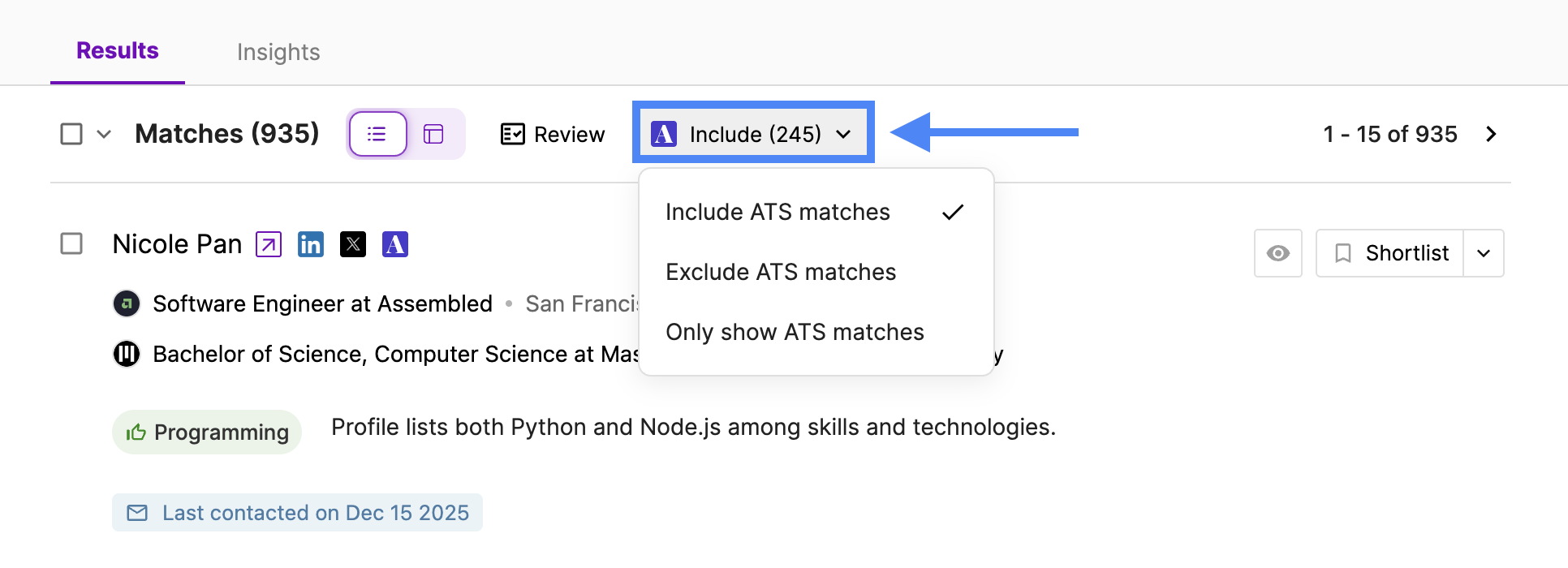
- Want to revisit past talent? Use the “Include ATS candidates” or “Only show ATS candidates” filters
- Want to only source net-new talent? Use the “Exclude ATS candidates” to avoid duplicate outreach and keep ATS exports clean
- Want to skip only candidates in an active process? Use “Exclude recent ATS candidates” to hide open applications and recently closed ones, while keeping older ATS candidates in your results
- Want to re-engage talent strategically? Use the additional ATS filters under “Only show ATS candidates” to review candidates from certain stages, jobs, or tags within your ATS