

Reporting a Profile
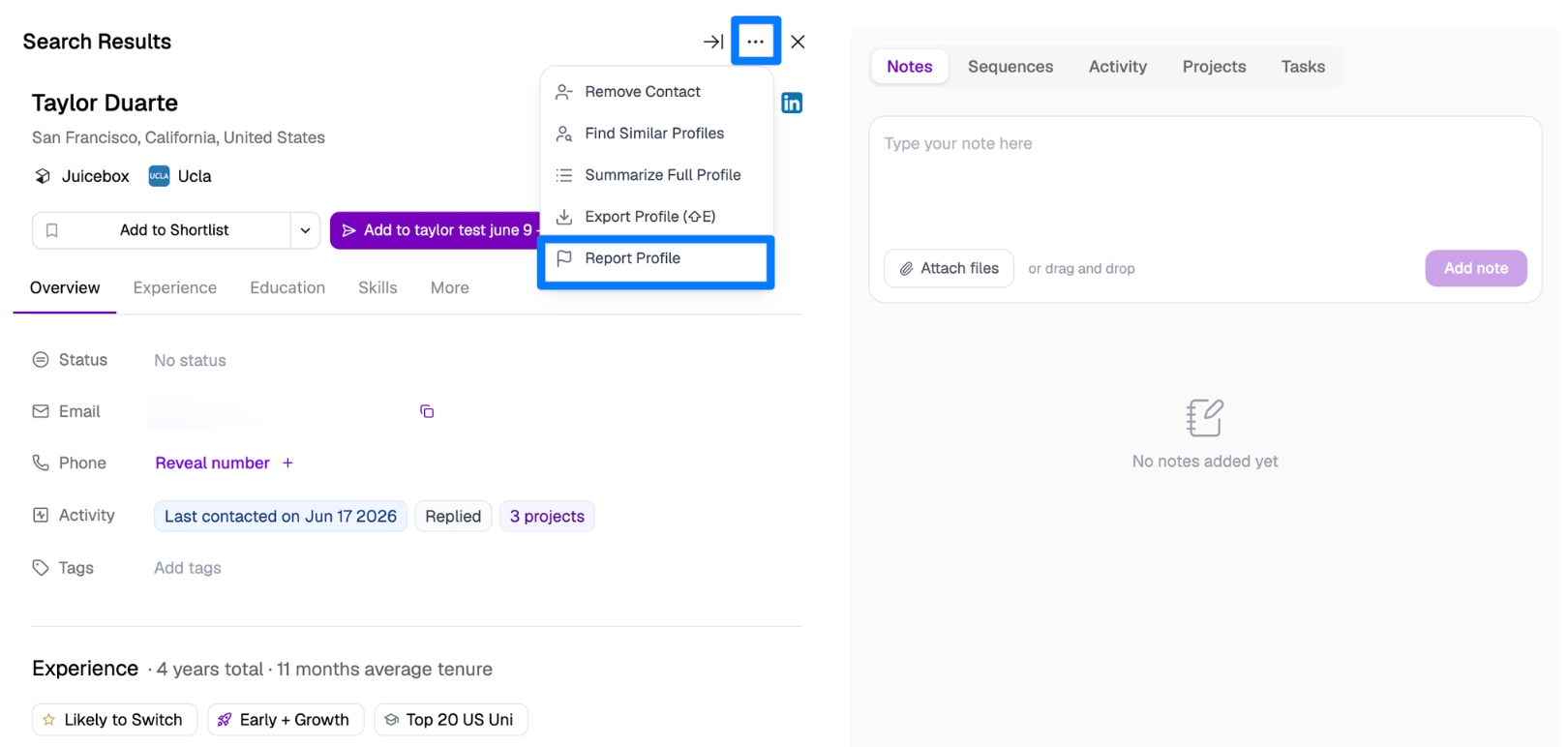
If you come across a profile that looks incorrect, outdated, broken, or fake, you can report it directly in Juicebox. Your reports help us keep profile data accurate for everyone. To report a profile:- Open the profile in the contact sidebar.
- Click the ••• (more options) menu at the top of the sidebar.
- Select Report Profile.
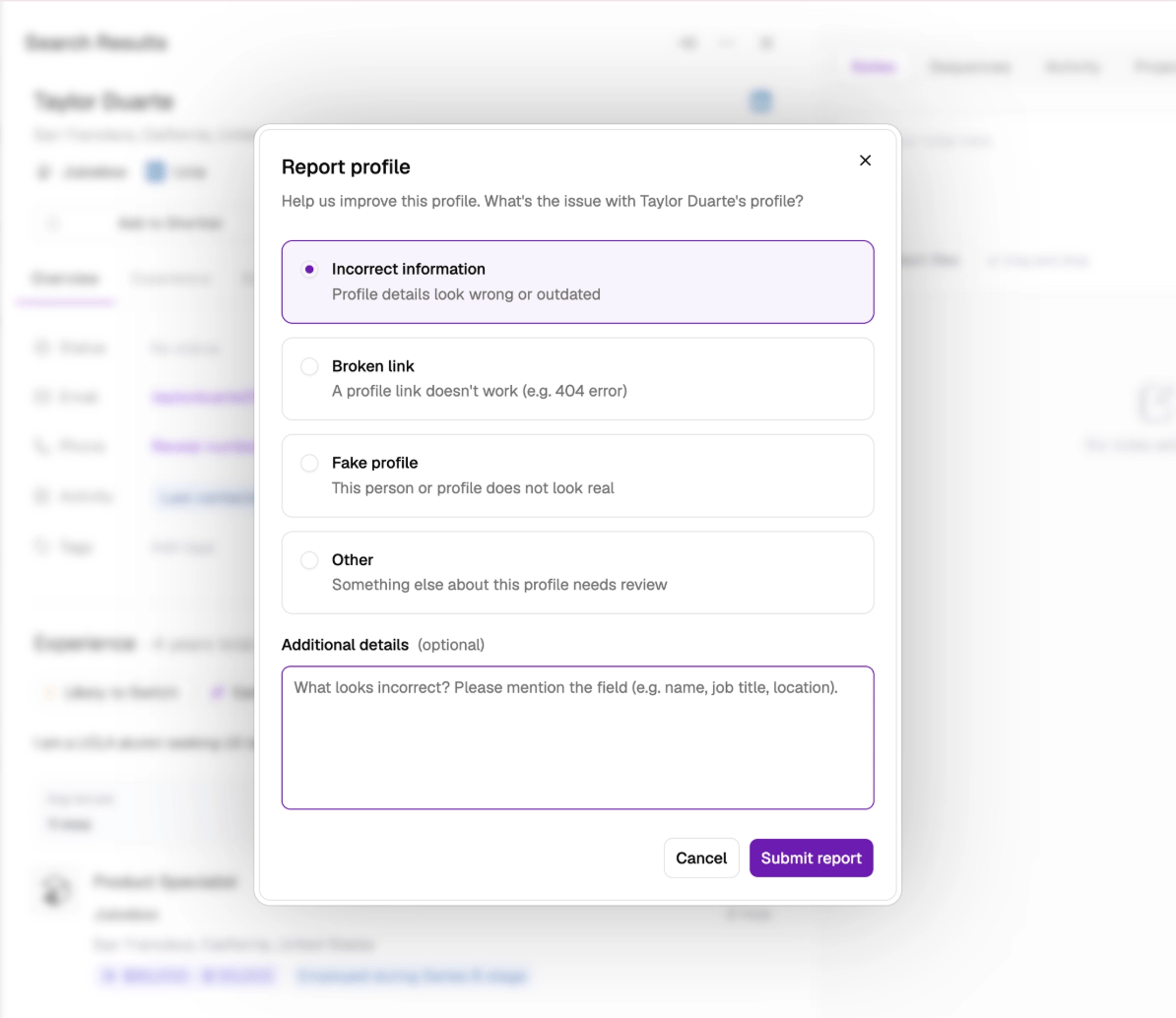
- Choose the issue that best describes the problem:
- Incorrect information — profile details look wrong or outdated
- Broken link — a profile link doesn’t work (e.g. a 404 error)
- Fake profile — the person or profile does not look real
- Other — something else about the profile needs review
- Optionally, add details to help us investigate — for incorrect information, please mention the specific field (e.g. name, job title, location).
- Click Submit report. You’ll see a confirmation once your report has been submitted.
How Often Data Is Refreshed
Juicebox refreshes data on an ongoing basis to keep profiles as current as possible:- Profiles are updated continuously, ranging from daily to monthly depending on the profile.
- Enriched profile data, such as GitHub, research, and compensation data, is refreshed on an independent cadence.