

1. Company-level DNC
How to add companies to your DNC list
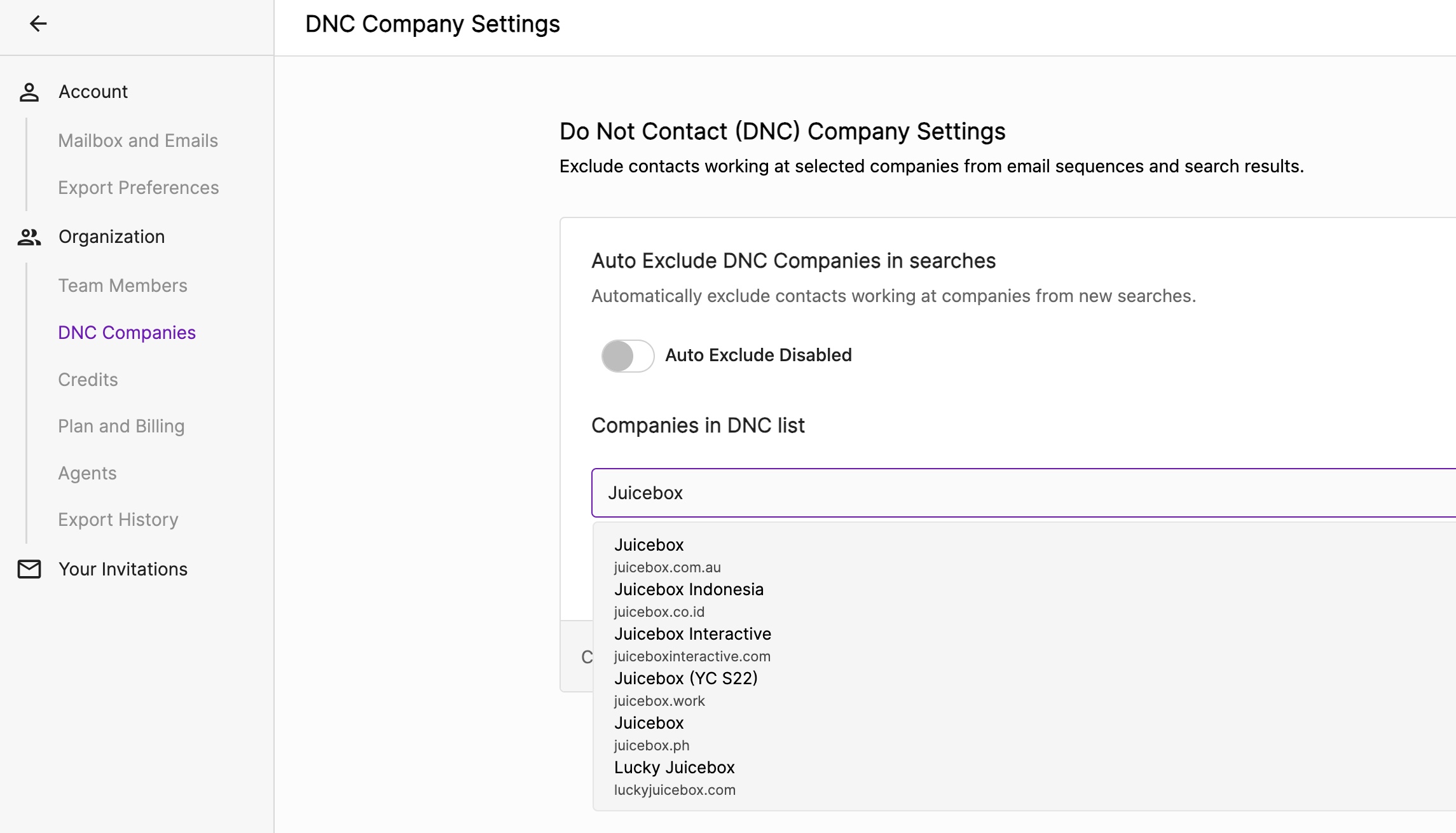
- Go to Settings — In the left-hand navigation panel, select Settings > DNC Companies
- Search for a Company — In the “Companies in DNC List” field, start typing the name of the company you want to exclude
- Select the Company — Select the correct version(s) of the company from the dropdown (e.g. Juicebox, Meta, OpenAI, etc)
DNC enforcement
When a company is added to your DNC List, Juicebox will do two things: 1) Prevent emails from being sent- Juicebox will prevent users from adding profiles currently working at this company to their email sequences.
- Note: this setting cannot be overridden by individual users. The only ways to change it are for an admin to adjust the DNC list, or to add specific people to the DNC override list.
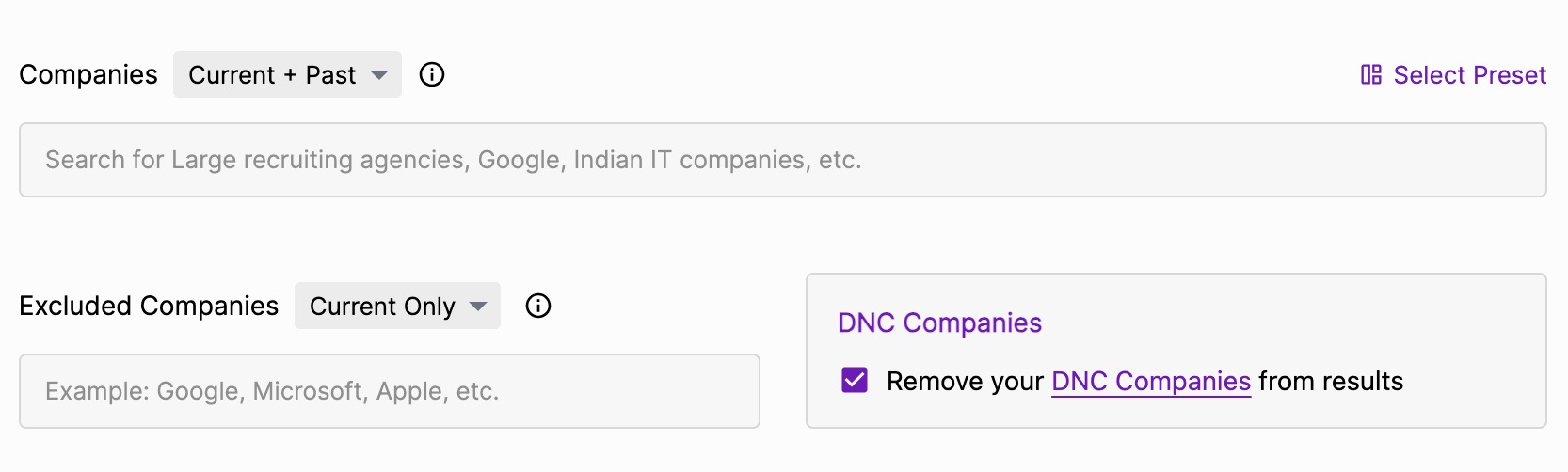
- Juicebox will exclude contacts from that company in your searches — so you don’t accidentally reach out to current or past employees.
- Auto exclude DNC companies in searches is on by default for every organization, including existing organizations that never changed the setting. New searches, Agents, intakes, and searches started from Slack automatically exclude profiles from companies on your DNC list.
- To turn auto exclusion off for your whole organization, an admin can switch off Auto exclude DNC companies in searches in Settings > DNC Companies. Once an admin turns it off, it stays off until an admin turns it back on.
- Individual users can still turn off DNC exclusion for a single search by unchecking the option while searching.
- Country auto exclusion works differently. Auto exclude DNC countries in searches is off by default, and an admin must turn it on.
2. Individual DNC
How to tag profiles as “Do not contact”
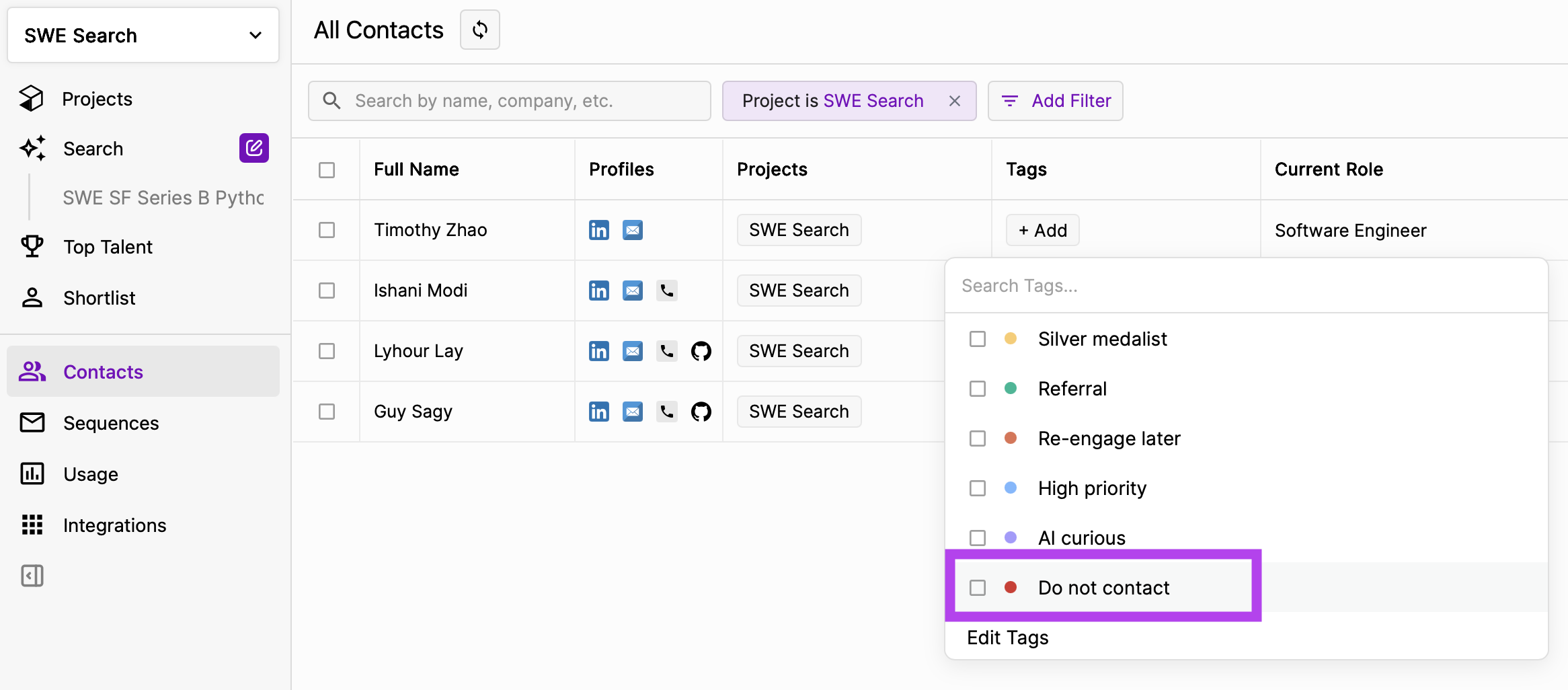
- In the left-hand navigation panel, select Contacts
- In the Tags column for a candidate, select Add
- Add the tag “Do not contact” to the candidate to prevent outreach to them
DNC enforcement
When a profile is labeled “Do not contact”, Juicebox will prevent any user in your organization from adding the profile to an email sequence.Reversing the tag
Remove the “Do not contact” tag from a profile to add the candidate to any email sequence.Reasons for using DNC tags
Contacts may be excluded due to profile opt-out requests, internal company policies, or other relevant considerations.3. Contact-level DNC overrides
Admins can add specific people to a DNC override list. An overridden person still appears in search results and can be added to email sequences, even if their current company or country is on the DNC list. This is useful when a profile still lists a DNC employer that the person no longer works at. It also helps when you have permission to contact a specific person at a DNC company. Instead of removing the whole company from the DNC list, add just that person as an override.How to manage the DNC override list
- In the left-hand navigation panel, select Settings and open the DNC override section
- Search for a person by name or LinkedIn URL and select them to add them to the override list
- To bulk add people, select Upload CSV and upload a CSV of LinkedIn URLs
- You can also export the override list to a CSV, remove individual people, or clear the entire list
DNC enforcement
- Overrides apply to both the company DNC list and the country DNC list.
- The individual “Do not contact” tag takes precedence. If a person has the tag, they remain blocked from sequences even if they are on the override list.
Juicebox is rolling out contact-level DNC overrides gradually. If you don’t see the DNC override section in your Settings yet, reach out to your Juicebox account manager.