

Why use ATS Intelligence
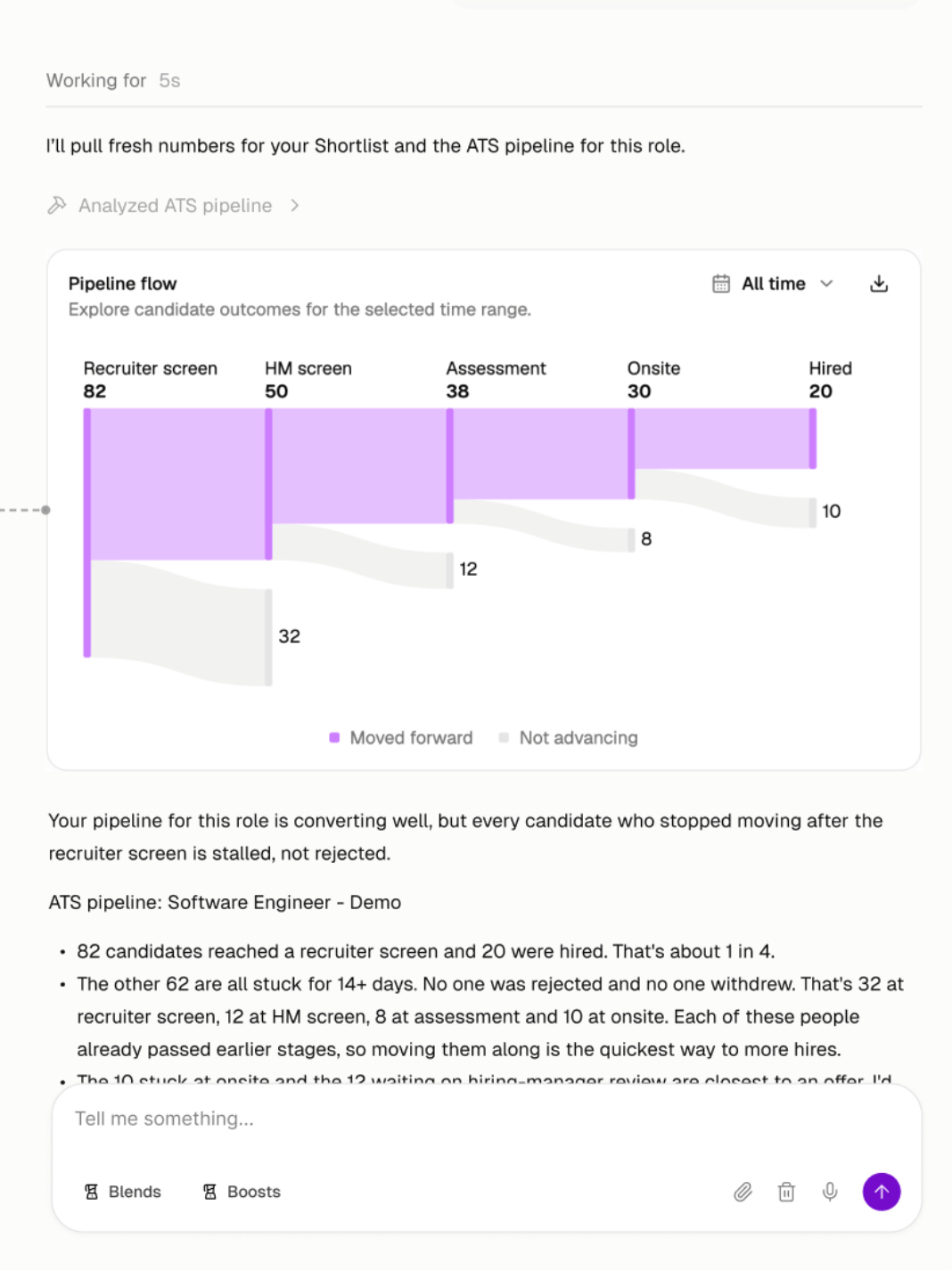
Your ATS holds invaluable information on each of your roles: who’s advancing, who’s stuck, what interviewers think, and why candidates fall off. ATS Intelligence puts that in your Agent’s hands, so you can:- Stay on top of every req by asking your Agent where candidates are stuck and what to fix, without pulling a report.
- Show up to every hiring manager sync with answers on pipeline status, interview feedback, and drop-off.
- Source from what’s working by seeing which profiles move forward and which fall off, then carrying that into your search.
ATS Intelligence is available on the Business plan and requires Ashby or Greenhouse to be connected to Juicebox.
What your Agent can read
Your Agent also adds Juicebox profile data, like work history, schools, past companies, skills, and more, to your ATS candidates.
What you can ask
Start with the ATS pipeline health Blend, or ask your Agent in your own words. Here are some ideas by topic.Pipeline and bottlenecks
- “How’s my pipeline looking for this role?”
- “How long have candidates been waiting in their current stage?”
- “Which candidates are waiting on hiring manager review?”
Drop-off and rejections
- “Where are candidates dropping off for this role?”
- “What are the most common rejection reasons for this role?”
- “What’s the pass-through rate from phone screen to onsite?”
Interview feedback
- “Summarize the interview feedback for candidates who made it to the final round.”
- “What do interviewers say about candidates who don’t move forward?”
Sourcing from what’s working
- “Find more candidates like the ones who made it past the onsite.”
- “Target the past companies that show up most among candidates who got offers.”
- “Update my Agent’s criteria based on who’s moving forward in the pipeline.”
Sensitive data and permissions
Interview feedback, scorecards, rejection reasons, offer details, and candidate emails are visible only to role collaborators by default.- Who can see restricted data: Only users who are collaborators on that role, in Juicebox or in your ATS. Everyone else gets answers without restricted fields.
- Changing the defaults: Admins can choose which fields are restricted in Settings > Integrations.
- How your data is used: Your ATS data stays within your organization. Juicebox does not use customer data for our candidate or profile database in any way.
Turning on ATS Intelligence
- Greenhouse
- Ashby
1
Open the Greenhouse integration
A Juicebox admin goes to Settings > Integrations and selects Greenhouse. You may also see a banner asking you to reconnect.
2
Reauthorize Greenhouse
Follow the authorization flow, the same one you used to connect Greenhouse the first time. See the Greenhouse setup guide for each step.
3
Approve the new permissions
Approve the additional permissions. That’s it.
Data can take up to 10 minutes to sync after you update permissions. Need help? Reach out to support or your CSM.