

-
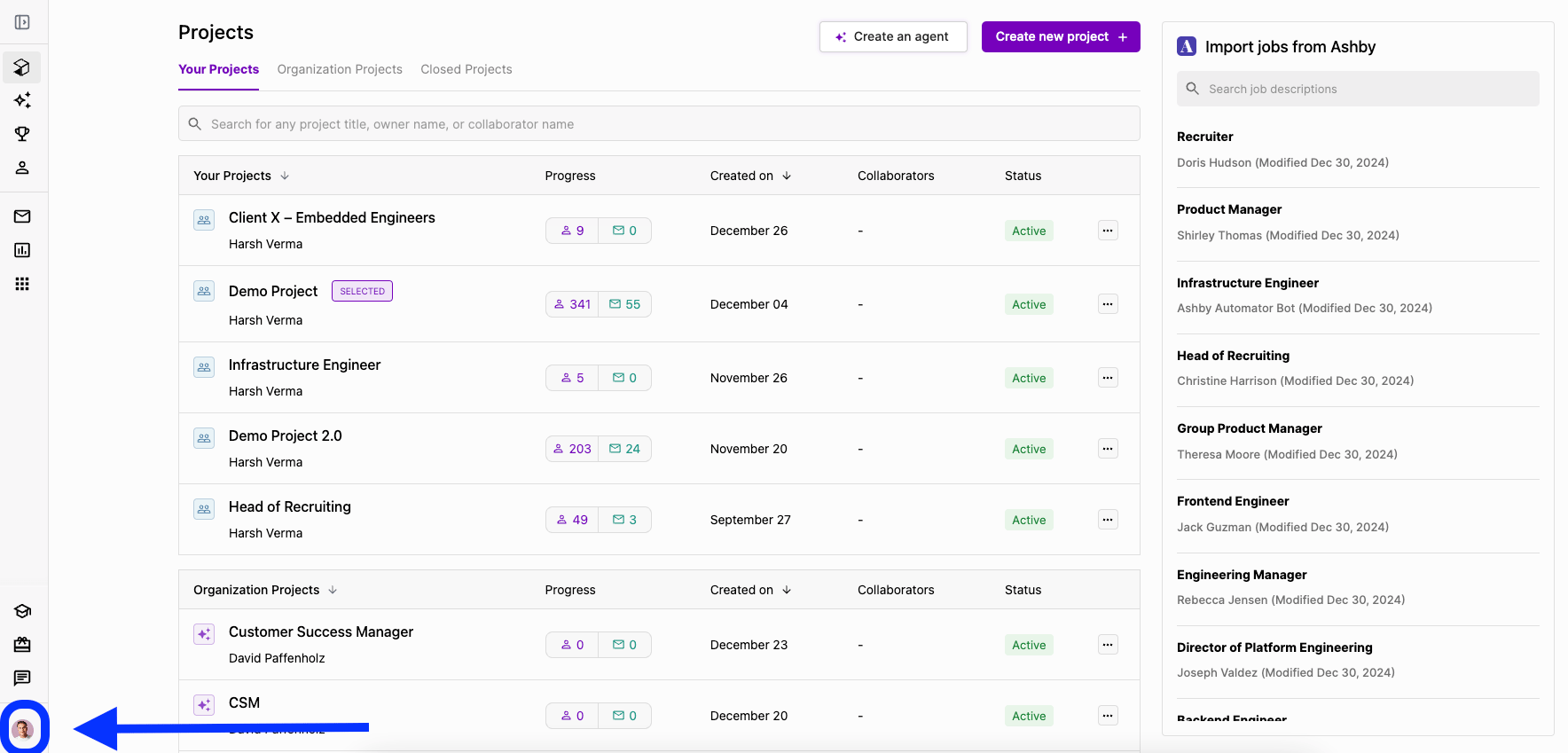
Select your profile icon on the bottom left of the screen.
-
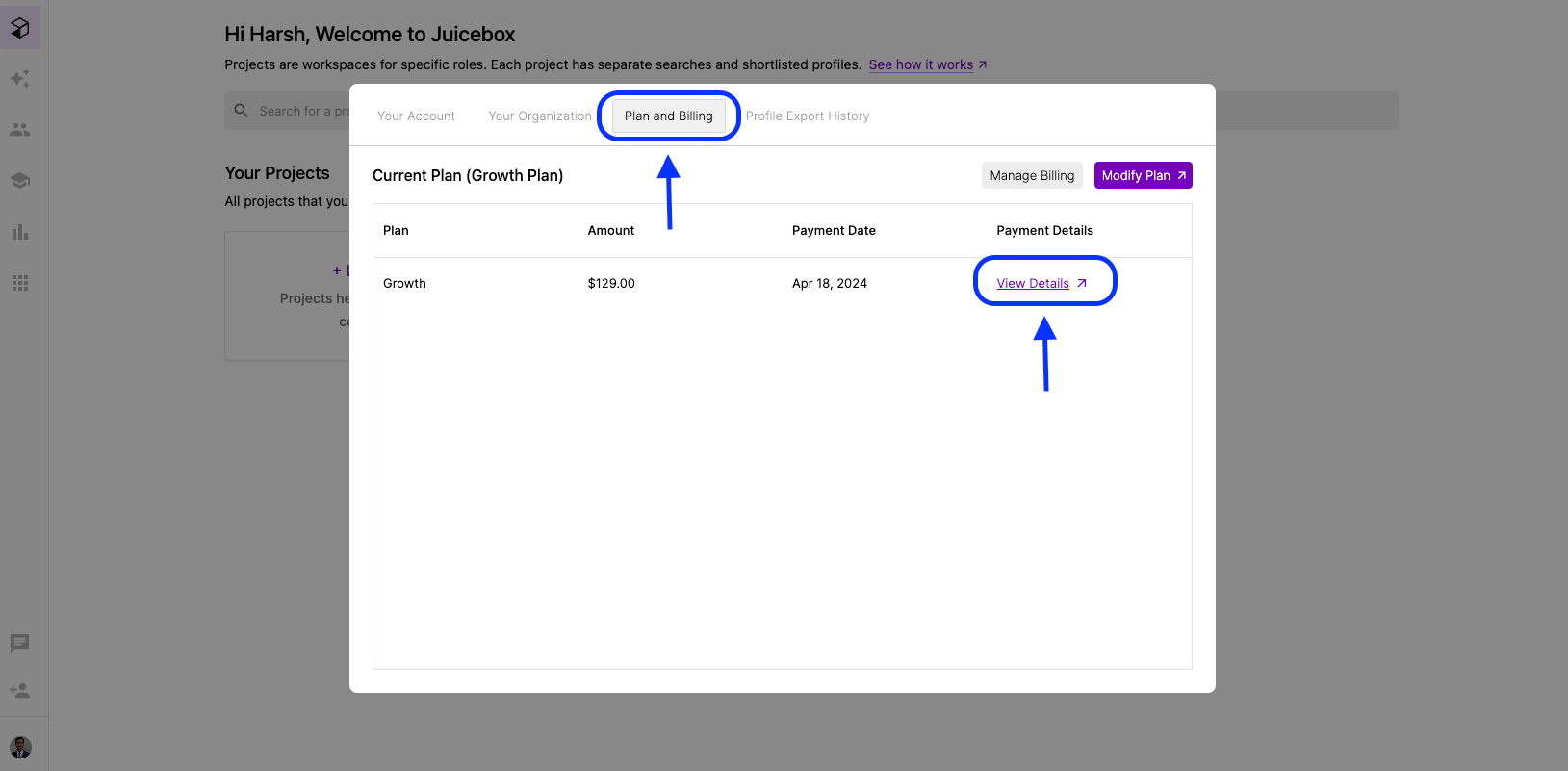
Under Plan and Billing, select View Plans for the relevant invoice.
-
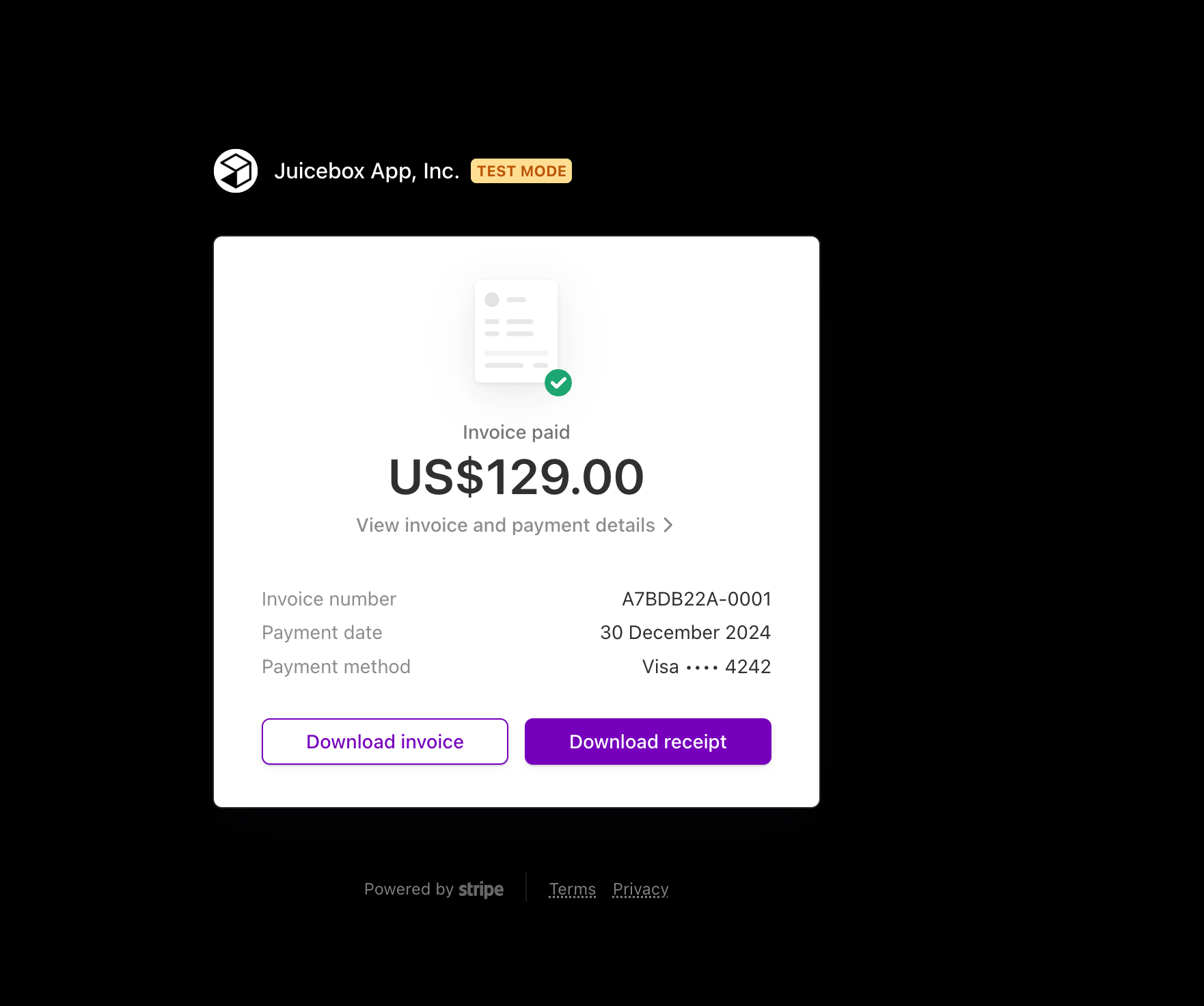
Click Download Invoice.
Billing
How can I access my invoice?
Find and download invoices for your Juicebox subscription.
To access your invoice: