

Default roles in Juicebox
Roles are organized into four permission levels: Admin, Read-Only Admin, Licensed Seat, and Hiring Manager. The most commonly assigned role is Licensed Seat, which provides full access to Juicebox’s core sourcing workflows, including candidate search, project creation and management, candidate review, shortlisting, and outreach execution.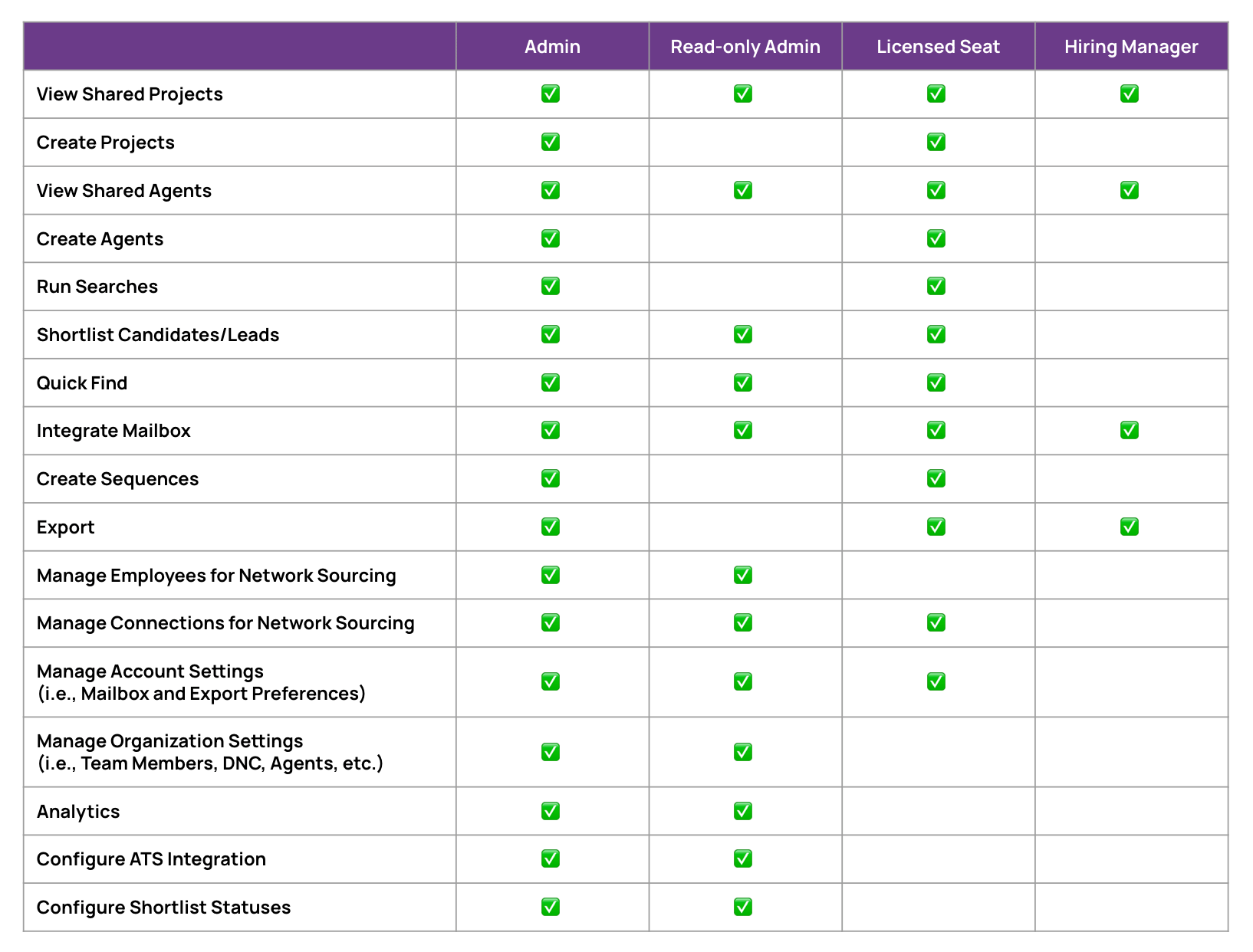
The Read-Only Admin and Hiring Manager licenses are view-only, and will not be able to perform any sourcing or outreach activity across candidates or the platform. Learn more about Hiring Manager seats.
Pausing and closing Agents as a Read-Only Admin
Read-Only Admins can pause, resume, and close Agents. Use the Agent actions menu on the Projects list or on the Agent card of a project page. Read-Only Admins still can’t change Agent settings, reopen a closed Agent, or open the Agent pages. Hiring Managers and sequence seats can’t pause, resume, or close Agents.Special permissions: Agents, tags and analytics
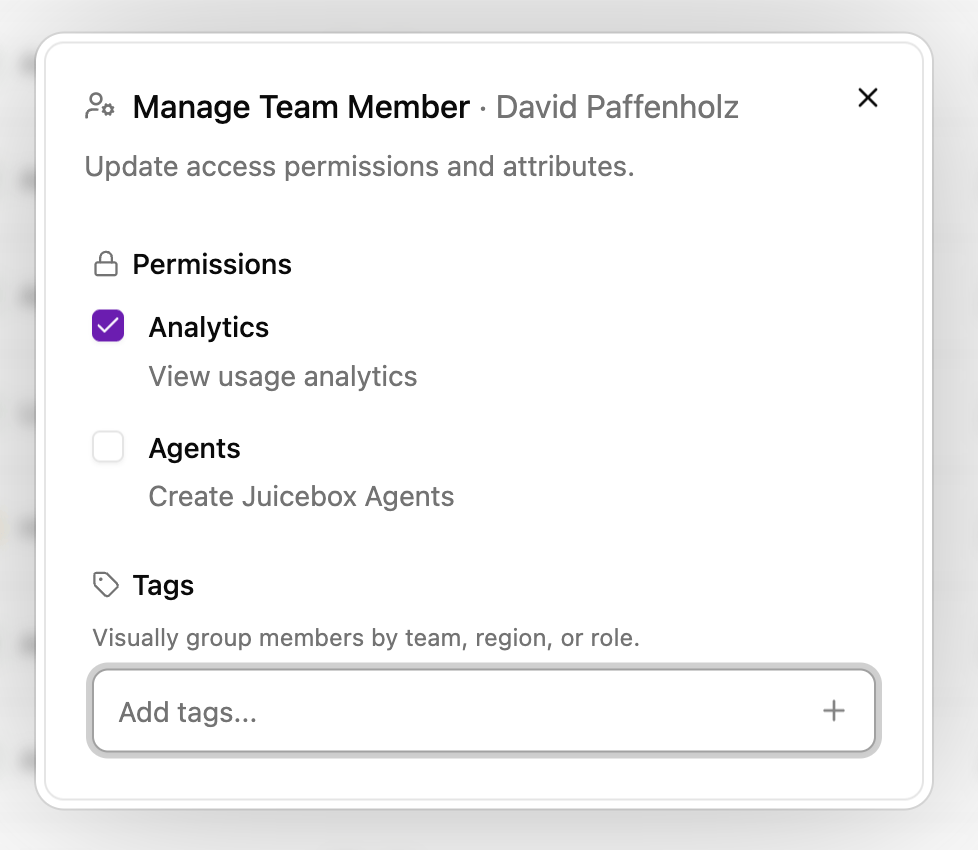
An admin license (including read-only) can grant individual team members access to agents and/or analytics. To manage permissions:- Select your name in the bottom left > Account Settings.
- Navigate to Team members.
- Select the settings gear icon for the profile you’d like to change permissions for (first icon under Actions).
- Select or unselect Analytics or Agents, or assign a tag to any team member as needed.
Filter and sort team members by tag
Use tags to find groups of team members quickly, such as everyone on one team or in one office.- On the Team members page, select Filter next to the search bar.
- Open the Tags submenu. Each tag shows how many members have it.
- Select one or more tags. The selected tags appear as chips below the search bar.
Add or remove tags in bulk
Admins can add or remove tags for many team members at once.- On the Team members page, select the checkbox next to each member you want to update. To select every row that matches your current search and filters, use the checkbox in the table header.
- In the action bar at the bottom of the page, select Add tags or Remove tags.
- Pick the tags to add or remove. When adding, you can choose existing tags or create new ones.
- Review the summary, then select Add to or Remove from to confirm.
Members hidden by your search or tag filters are removed from the selection. Clearing a filter does not add them back.