


About the integration
Connect Softgarden to Juicebox to import jobs and start searches from their job descriptions. You can also export profiles with resumes to a selected job. This connector does not provide full-database candidate reading for rediscovery.Before you start
This guide covers the standard Softgarden connector and its newer interface. Use an account with JUST-HIRE ADMINISTRATOR or SUPER-ADMINISTRATOR access. Check Settings > User Management > User if you need to confirm your role. Open Integrations in Juicebox, select Softgarden, and choose Activate. Keep the connection window open while completing the steps below. If the integration is not visible, ask Juicebox Support to confirm access for your account.The screenshots show vendor settings or the connection window provided by Kombo. Use the credentials, source labels, permissions, and URLs from your own connection; screenshot values are examples.
Create the API client
- Open Settings > Additional Features > Integrations.
- Find Softgarden API. Enter a name under Add API client and choose Create.
- Copy the new API client value into Juicebox.
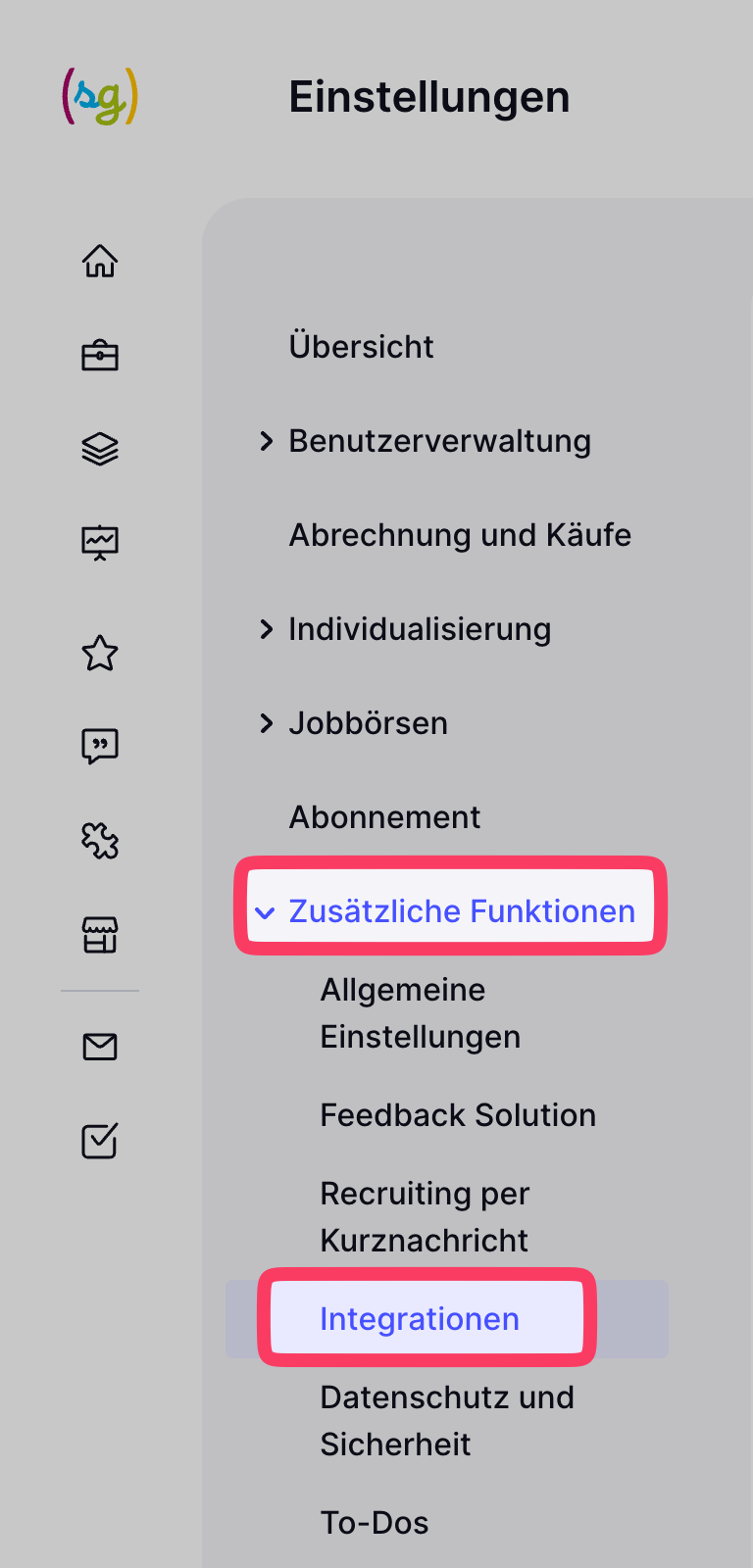
Open the Softgarden integrations settings.
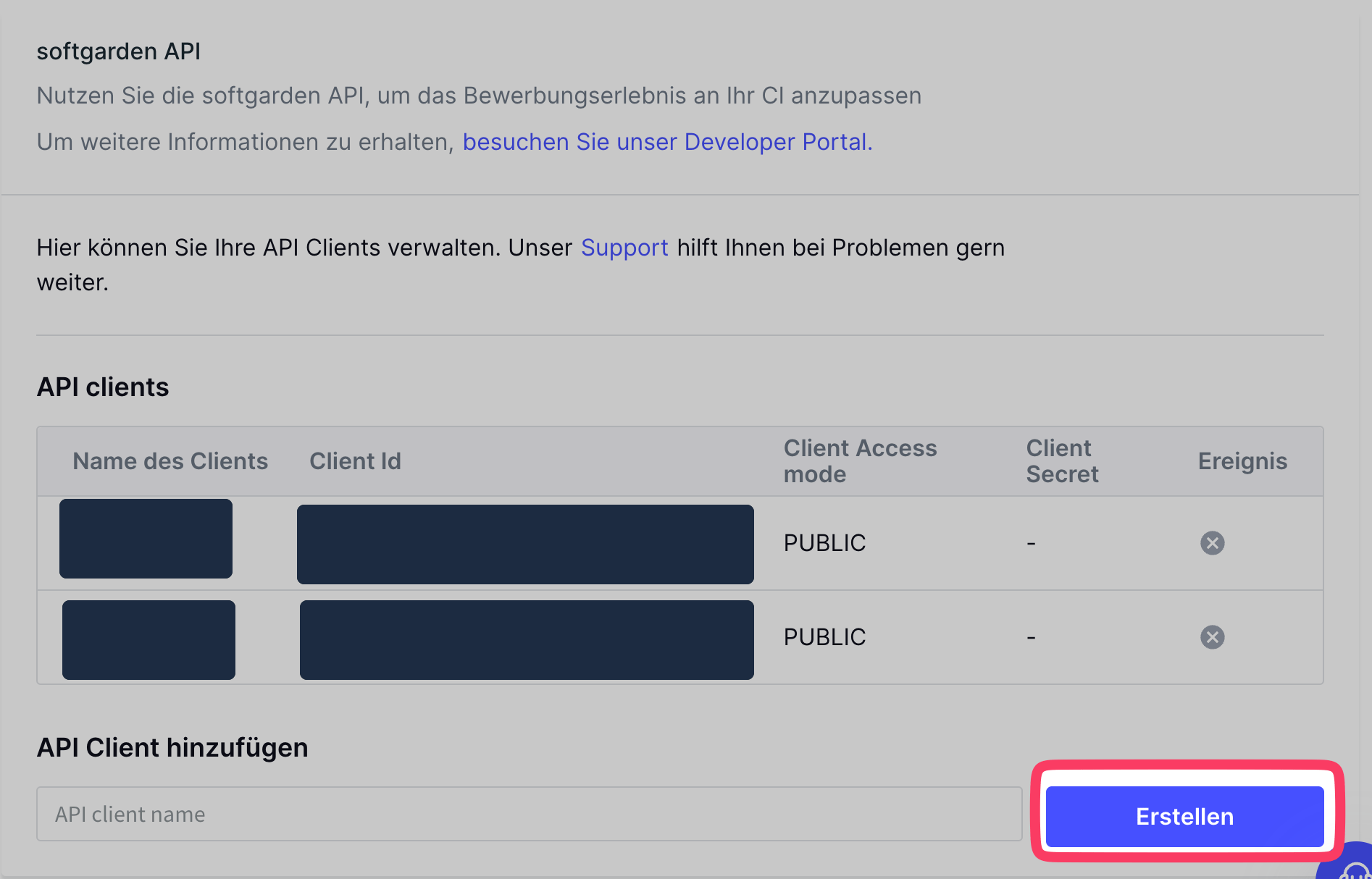
Create a named API client.
Configure source writing if prompted
Open Settings > Individualisierung > Bewerbungsformulare. Under Kanäle für Kandidat/in anpassen, choose Kanäle zur Auswahl, then Kanal hinzufügen. Add the source label shown by Juicebox and save. If validation errors appear, have your administrator resolve the highlighted form configuration before saving.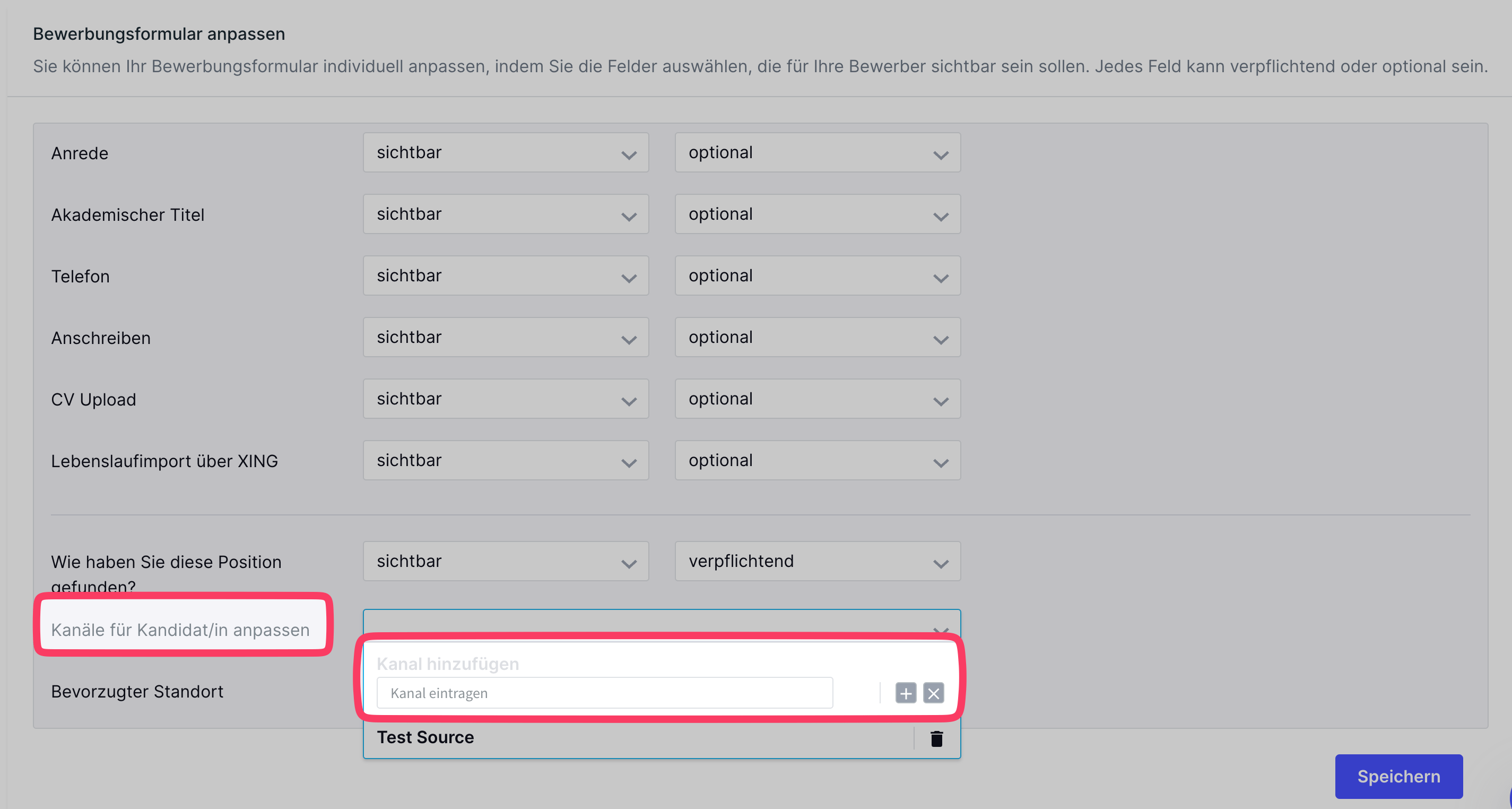
Open the candidate-channel selection.
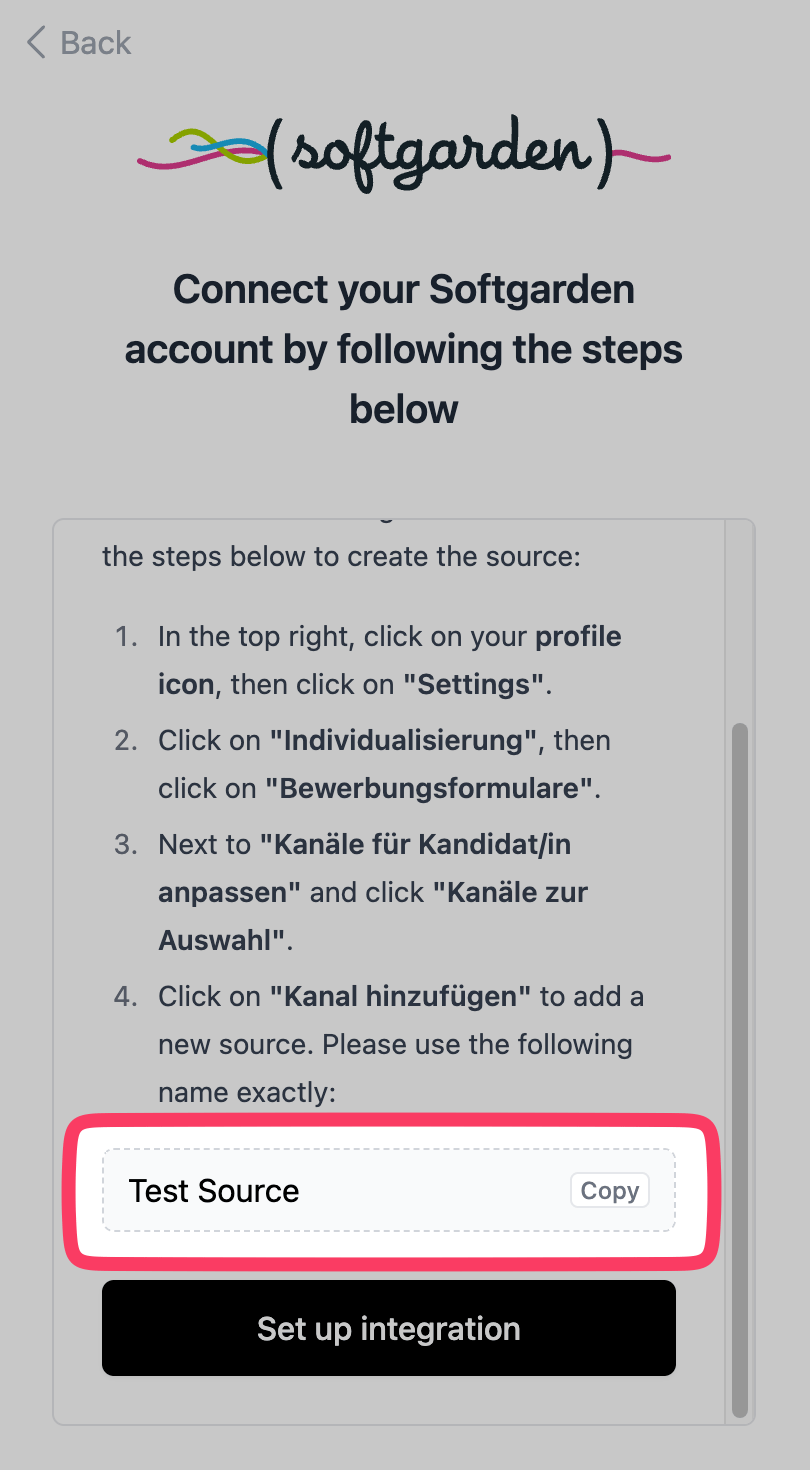
Add the source provided by your connection window.
Finish the connection
Return to Juicebox and complete setup. If your Softgarden menus differ, use the older-interface connection guide or ask Juicebox Support to help with your version.Confirm the integration
Finish the connection window and return to Juicebox. Confirm that the connection has completed, then allow the initial sync to populate your data.- Check that the expected jobs appear in Juicebox.
- Export a test profile with a resume to a selected job, then verify the application in Softgarden.