Upgrade from a free plan
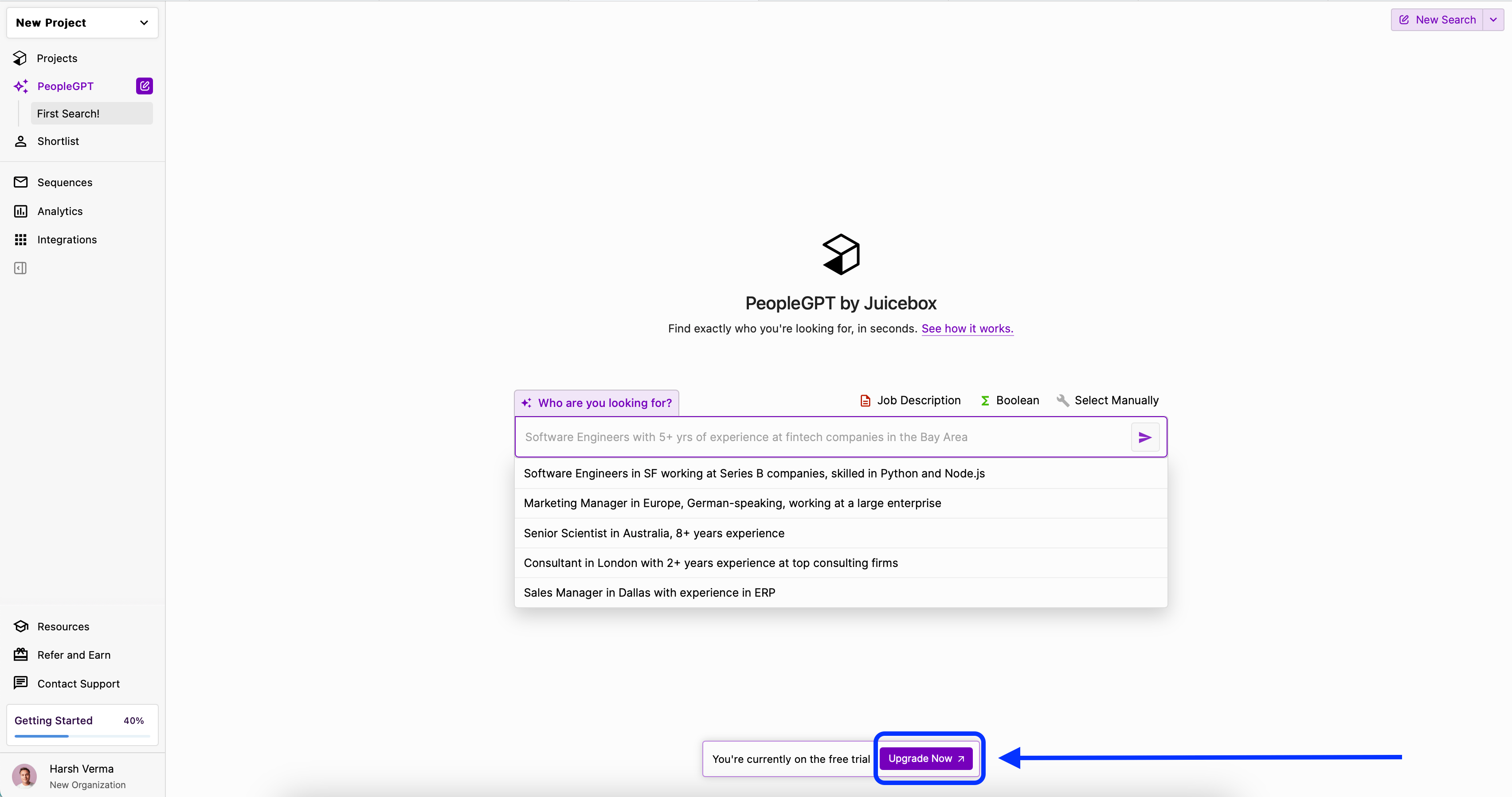
To upgrade to a premium plan from a free plan, select the Upgrade Now button:
Upgrade or downgrade an existing premium plan
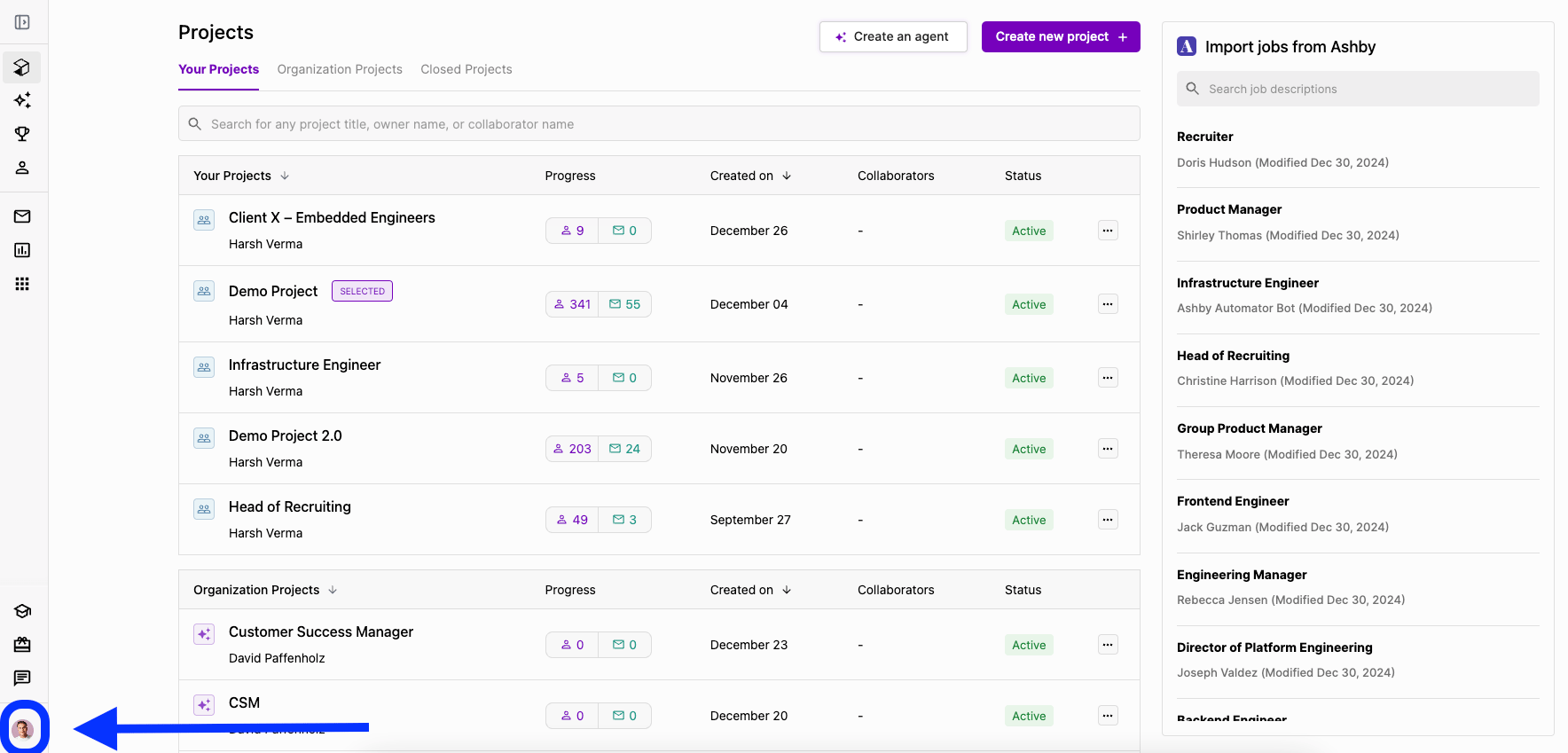
If you are already subscribed to a premium plan, select your profile icon in the bottom left corner:
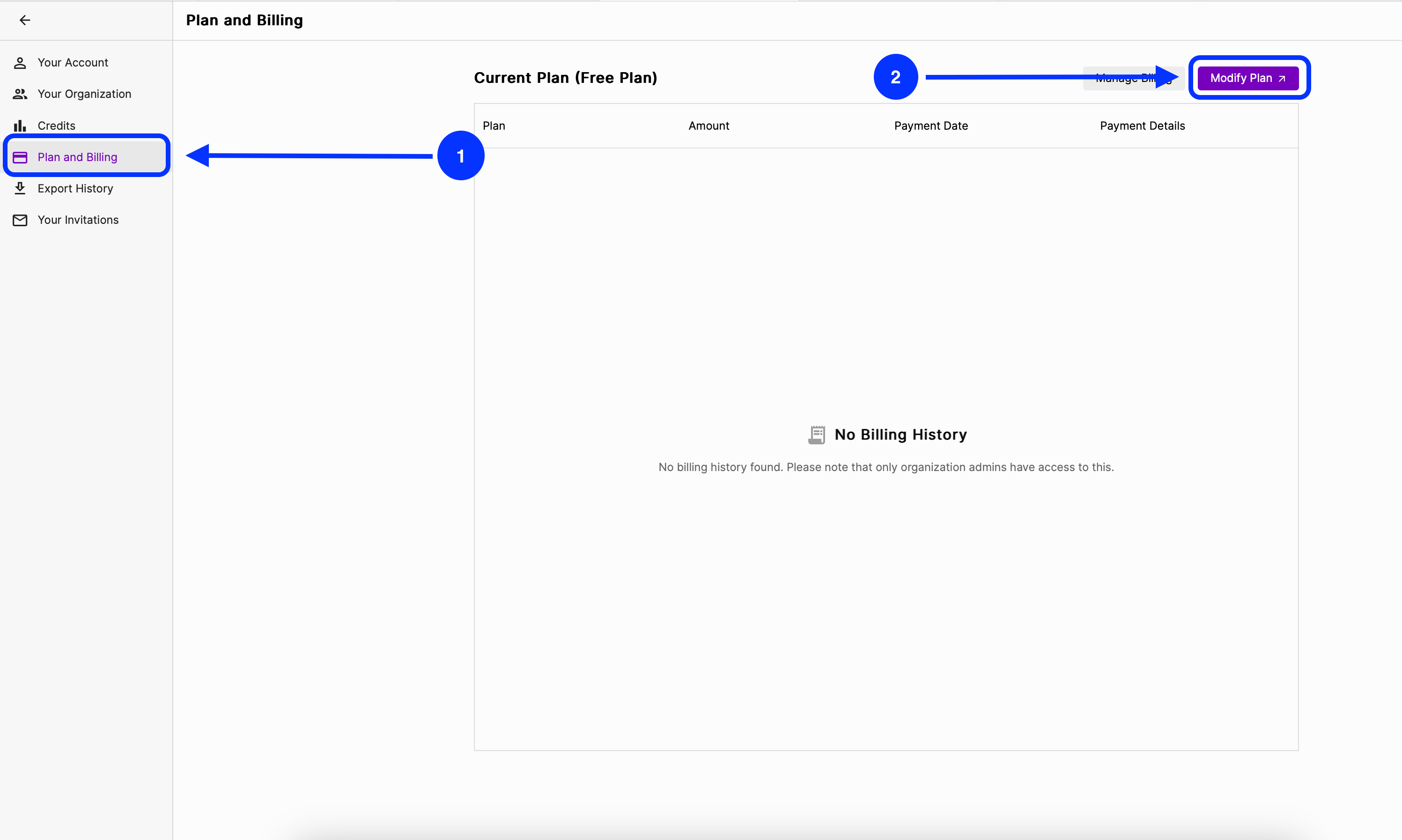
From there, select Account Settings, then Plan and Billing, and finally Modify Plan. You can also navigate directly to your billing settings.
This same process can be used to upgrade to a higher-tier plan or downgrade to a lower-tier plan.
Billing and proration: When you upgrade to a higher-tier plan mid-cycle (for example, from Starter to Growth), you’ll be charged a prorated amount — the difference between what you’ve already paid for your current plan and the cost of the new plan for the remaining time in your billing period. Your next renewal will charge the full amount for the new subscription. Credits are also prorated mid-cycle — you’ll receive a prorated credit allocation for the remainder of your billing period, and the full credit amount at renewal.
Managing credits through plan changes
Adding credits on the Growth plan
To add more credits to your account, you can add an additional seat on the Growth plan. Each additional seat includes its own monthly allotment of contact and export credits — see All About Credits for current amounts per plan.
The charge for the upgrade and the credits you receive are both prorated based on the remainder of your current billing cycle. Once your renewal hits, you’ll be charged in full for all seats on the plan and receive the full credit amount for each seat.
Unlimited credits
For unlimited credit options, the Business plan is available.