

The Starter plan only allows for one user. To add team members, you must first upgrade to the Growth plan.
Inviting team members
If your team member already has an account on Juicebox (including a free account), you can invite them directly through the Team Members settings. When they accept your invite, they will be automatically moved from their current plan to your Growth plan workspace. The same invitation process works for both new users and existing account holders. If your team member does not have an account on Juicebox yet, click on your name/organization at the bottom left corner.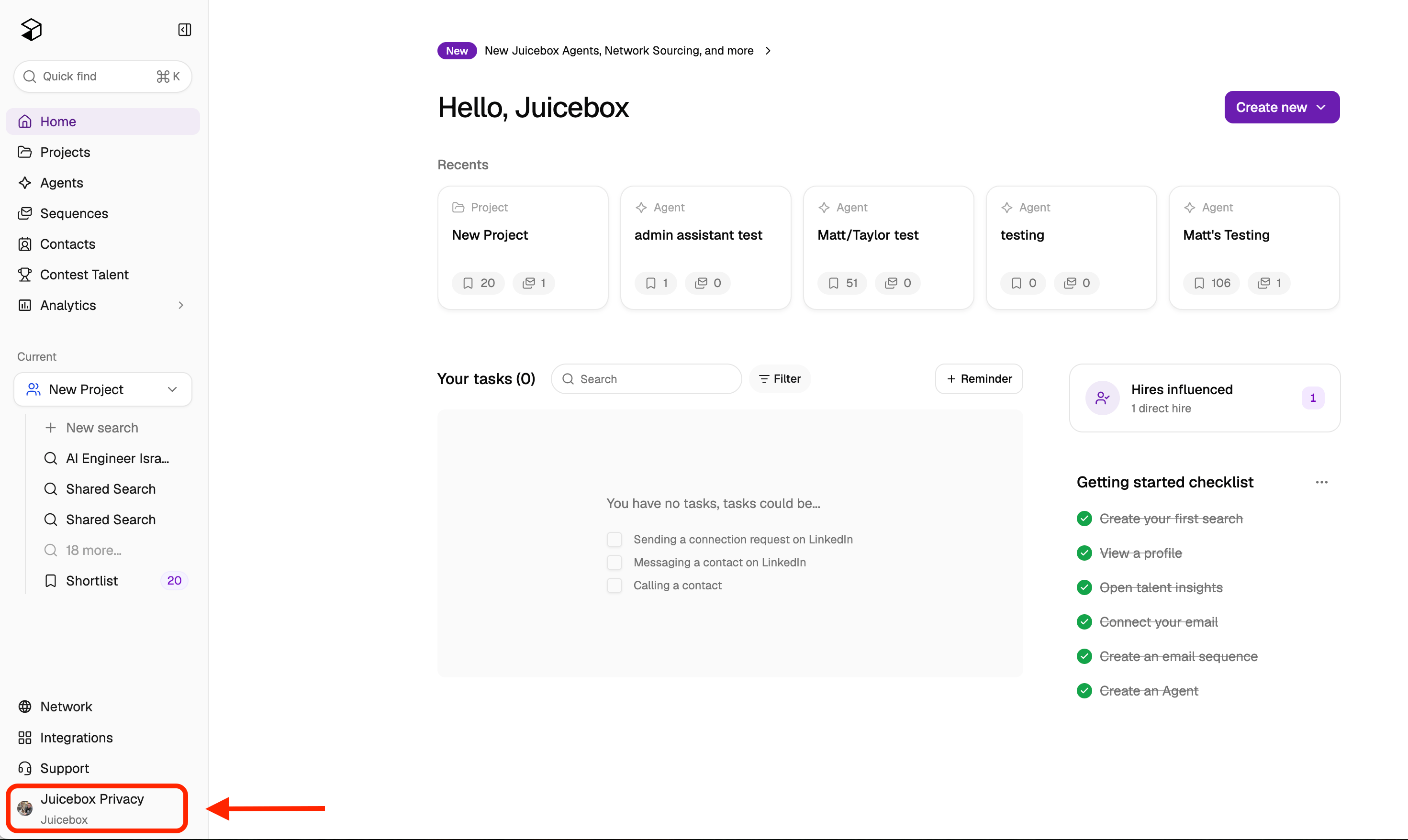
Adding additional seats
If you need to purchase additional seats before inviting team members, you can do so through your account settings without contacting support:- Click on your profile icon at the lower left corner of Juicebox, then select Account Settings.
- Navigate to Plan and Billing.
- Select Modify Plan.
- Increase the number of seats to your desired amount.
- Confirm the changes.
After sending invitations
Once you send the invitation, the team member will need to accept it to join your organization. If they log in and see a “free trial” status instead of being part of your Growth plan organization, they should check for pending invites and accept the invitation.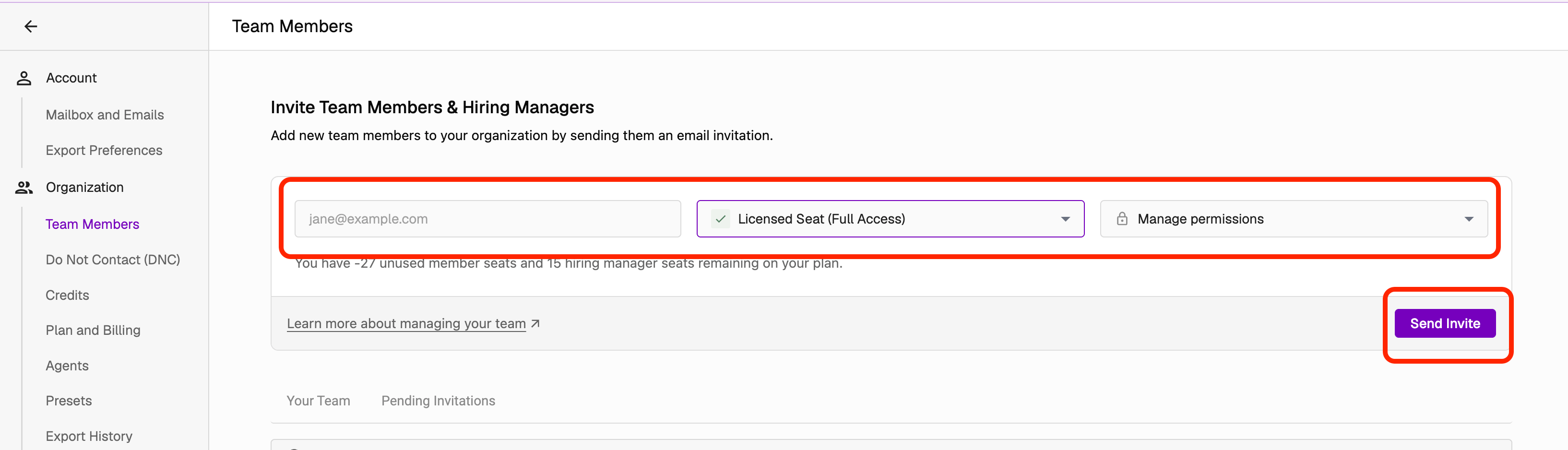
Resend a pending invitation
If a teammate hasn’t accepted yet, you can send them a reminder. Any member of your organization can resend an invitation:- Go to Account Settings > Team Members and open the Pending invitations tab.
- Find the invitation and select the Resend invite (send) icon on its row.
You can remind each invitation once every 24 hours. During the cooldown, the Resend invite icon is disabled and shows “Resent in the last 24 hours”.
Remind all invitations older than 30 days
Admins and view-only admins see a banner at the top of the Pending invitations table when any invitations have been pending for more than 30 days. The banner shows how many invitations are older than 30 days and how many can be reminded now.- Select Send N reminders in the banner, where N is the number of invitations that can be reminded.
- Confirm in the dialog.